Category | CLOUD and AWS
Last Updated On 09/04/2026
81% of security breaches involve weak or compromised identities. That one statistic tells you more about where cloud security actually fails than most lengthy reports do.
Organizations running workloads on Azure face a real challenge. The platform is powerful, and the toolset is deep, but without a structured approach to Azure security best practices, the same misconfigurations and identity gaps that cause breaches elsewhere show up in Azure environments too.
This guide covers the core Azure security tools, identity management best practices, a layer-by-layer security framework, data protection architecture, governance, and monitoring, with practical steps you can act on immediately.
TL;DR — Quick Summary
| Topic | Key Point |
| The biggest breach cause | 81% of breaches involve weak or compromised identities (Source: IT News Africa) |
| Core security tools | Defender for Cloud, Sentinel, Entra ID, Key Vault, Azure Firewall |
| Identity priority | PIM reduces standing privileged access exposure by 80% |
| SIEM impact | Centralizing logs in Sentinel reduces MTTR by 95% |
| Incident reduction | Full Sentinel integration reduces security incidents by 60% over time |
| Data protection | Managed identities eliminate credential-based access to Azure services |
| Compliance tool | Azure Policy enforces security configurations automatically at scale |
| Security scoring | Defender for Cloud Secure Score provides a prioritized improvement roadmap |
Running workloads in Azure does not automatically make them secure. The platform provides the tools. The organization is responsible for configuring and using them correctly.
Hybrid and multi-cloud architectures have expanded the attack surface significantly. Traditional perimeter security firewalls at the network edge and access controls based on physical location do not translate directly to cloud environments where resources are distributed, identities are everywhere, and access happens from any device and location.
In recent Azure security workshops, over 70% of environments showed identity misconfigurations despite existing controls, highlighting gaps between tool availability and real-world implementation discipline.
Azure security best practices exist to address this reality. They provide a structured, multi-layered approach that covers identity, network, data, and threat detection, because relying on any single control creates gaps that attackers consistently find and exploit.
The good news is that Microsoft provides a genuinely deep and integrated set of security tools purpose-built for Azure environments. The challenge is knowing which tool addresses which layer and how to configure them to work together effectively.
Before building a security framework, it helps to understand what each of the primary Azure security tools is designed to do and where it fits in the overall architecture.
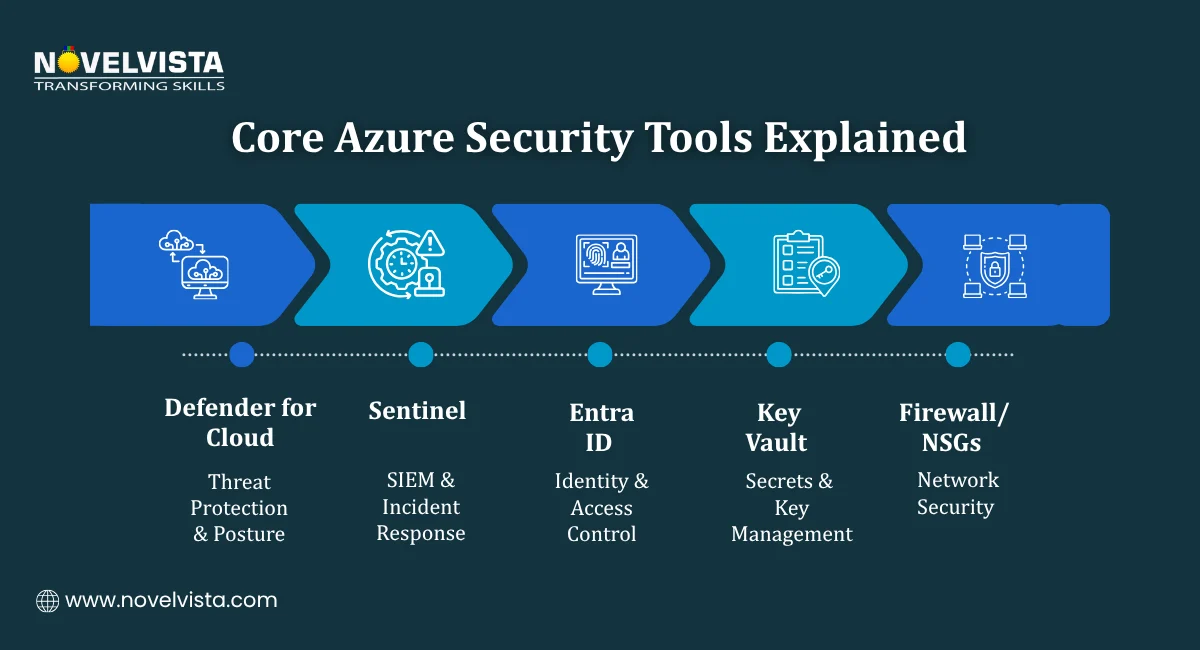
Defender for Cloud is a Cloud-Native Application Protection Platform known as CNAPP. It provides:
Defender for Cloud is the operational dashboard for Azure security best practices. It gives security teams a single view of where they stand and what to fix first.
Sentinel is Azure's cloud-native SIEM and SOAR platform. It handles:
Organizations that route all logs to Sentinel report 95% faster Mean Time to Respond to security incidents compared to manual log analysis. That improvement comes from having a single place to detect, investigate, and respond rather than hunting across disconnected log sources.
Entra ID is Azure's Identity and Access Management hub. It is the foundation of Azure identity management best practices and the starting point for securing access across every Azure resource and connected application.
Key capabilities include:
Key Vault provides centralized management for secrets, API keys, certificates, and encryption keys. It removes hardcoded credentials from application code, one of the most common sources of secrets exposure in cloud environments.
These Azure security tools handle network-layer controls:
Together, they enforce network segmentation and ensure traffic flows only through defined, permitted paths.
With 81% of breaches tied to weak or compromised identities, Azure identity management best practices represent the highest-leverage security investment any Azure organization can make. Getting identity right does more to reduce breach risk than any other single security control.
Use Microsoft Entra ID as the single source of truth for all identity and access management across your Azure environment. Fragmented identity stores across applications and environments create gaps that are difficult to monitor and even harder to close consistently.
Entra ID should be the authentication layer for:
Multi-Factor Authentication is the single most effective control against credential-based attacks. The target is 99% MFA coverage across all user accounts, not most accounts, not accounts that seem high-risk. All accounts.
Conditional Access policies make this practical by applying MFA requirements based on context, user location, device compliance status, and risk level, rather than applying a blanket prompt that frustrates users with no corresponding security benefit.
Standing privileged access, permanent administrator rights that are always active, creates persistent risk. If an account with standing admin rights is compromised, the attacker has immediate, unrestricted access.
PIM addresses this through just-in-time access. Administrators request elevation when they need it, for a defined time period, with approval and audit logging at every step.
The measured outcome: organizations implementing PIM as part of their Azure identity management best practices report an 80% reduction in standing privileged access exposure. That is a significant risk reduction from a single well-configured control.
During audit readiness programs, organizations with PIM-enabled environments consistently pass access control reviews faster, reducing audit observation findings related to privileged access by nearly 60%.
Dormant accounts, which are former employees, contractors, and service accounts that are no longer active, are a persistent and frequently overlooked risk. Automating user provisioning and deprovisioning through Entra ID lifecycle workflows ensures access rights reflect current employment status in real time rather than relying on manual offboarding processes that get missed.
Microsoft Azure security best practices are most effective when organized across four distinct security layers. Each layer has specific controls and specific tools — and each layer compensates for gaps in the others.
| Layer | Key Controls | Primary Tools |
| Identity | Enforce MFA universally, use PIM for all admin roles | Microsoft Entra ID |
| Network | Segment Virtual Networks, use private endpoints | Azure Firewall, NSGs, Private Link |
| Data | Encrypt at rest and in transit, use managed identities | Azure Key Vault, Microsoft Purview |
| Threat Detection | Centralize SIEM, deploy endpoint detection | Microsoft Sentinel, Defender for Cloud |
The layered model reflects the core principle behind Azure's best security practices: defense in depth. No single control is sufficient. The combination of all four layers creates a posture that is genuinely difficult to penetrate and fast to detect when something does get through.
Run a practical 20-point checklist to uncover hidden risks, assess your Azure
security posture, and take immediate actions to fix gaps and strengthen cloud security.
Data is what attackers are ultimately after. A sound Azure data security architecture ensures that even if other controls are bypassed, the data itself remains protected and inaccessible without the right authorization.
The framework covers three states of data. At rest, in transit, and in use, plus the governance layer that ties everything together.
Every storage resource in Azure should have encryption enabled at the storage layer. Two controls handle this:
Both are enabled by default in most Azure services. The Azure best security practices recommendation is to verify they are active across all storage resources rather than assuming default settings have not been changed.
All data moving between services, users, and external systems should travel over encrypted connections. Key controls include:
Hardcoded credentials in application code are one of the most common entry points in cloud breaches. Centralizing secrets management in Azure Key Vault eliminates this risk category entirely.
In data protection training scenarios, misconfigured Key Vault access policies are among the top three issues, often exposing secrets unintentionally despite encryption being correctly enabled.
A well-implemented Key Vault approach covers:
Managed identities are one of the most impactful controls in any Azure data security architecture. They allow Azure services and applications to authenticate to other Azure services without storing or managing credentials directly.
Instead of an application storing a database password in a configuration file, the application uses its managed identity to request a token from Entra ID. The token is short-lived, scoped to the specific service, and never stored anywhere that could be extracted.
This removes the human element from credential management and replaces it with a platform-managed process that is harder to compromise and easier to audit.
Azure data security architecture is only complete when you know where your sensitive data lives. Microsoft Purview provides:
Without data classification, security teams are protecting data they cannot fully see. Purview makes the data landscape visible, so protection efforts are focused where they matter most.
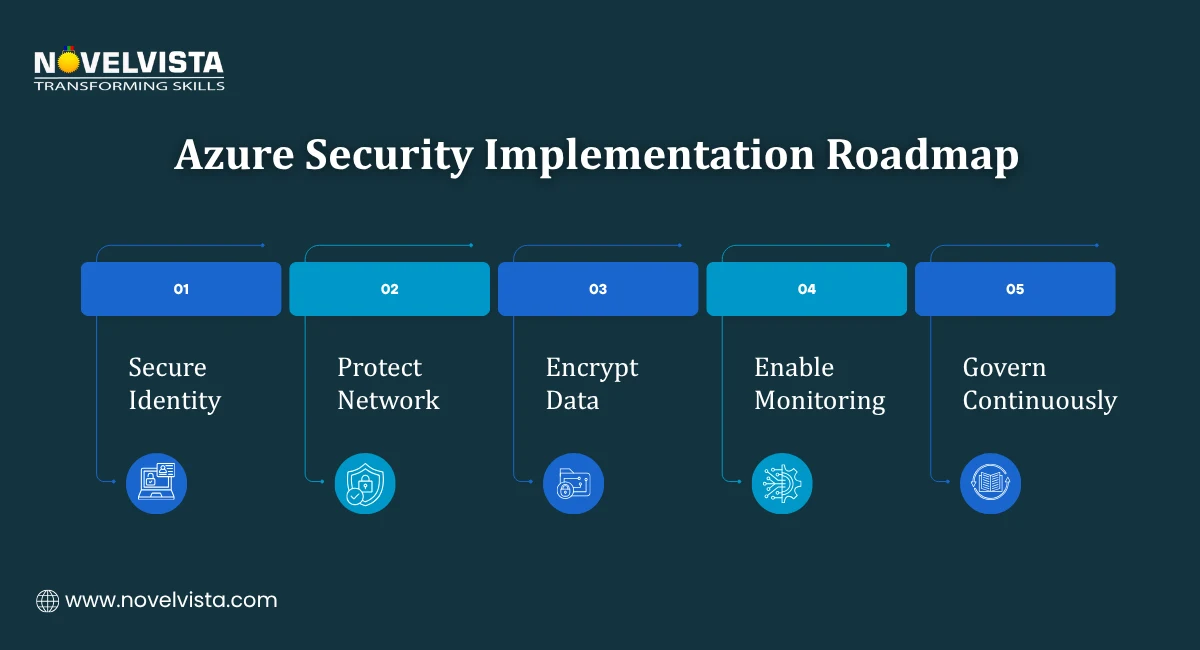
Knowing the framework is one thing. Knowing where to start is another. These practical steps reflect the highest-impact Azure security best practices for organizations at any stage of their security maturity.
Azure Policy allows you to define security configurations as code and enforce them automatically across your environment. Instead of manually reviewing resources for compliance, Policy continuously audits configurations and flags deviations before they become vulnerabilities.
Practical starting points:
New deployments that violate defined policies can be blocked at creation time. It prevents misconfigurations from entering the environment rather than detecting them after the fact.
This is one of the Azure security best practices with the most immediate and measurable impact. Organizations that centralize log ingestion in Sentinel report 95% faster MTTR compared to manual log analysis across disconnected sources.
What to connect to Sentinel:
Once logs are flowing, enable the built-in analytics rules for common threat patterns. Includes brute force attempts, impossible travel, privileged role assignments, and lateral movement indicators before investing in custom detection logic.
In SOC enablement programs, organizations that standardize Sentinel onboarding across all workloads achieve consistent detection coverage within 4–6 weeks of initial configuration.
Public-facing endpoints are targets for volumetric DDoS attacks that can take services offline without exploiting any vulnerability. Azure DDoS Protection Standard provides:
For organizations with production workloads exposed to the internet, DDoS Protection Standard is a straightforward addition to the Microsoft Azure security best practices baseline.
Direct RDP and SSH exposure on virtual machines creates a persistent attack surface. Every open inbound port on a VM is a potential entry point for brute force and exploitation attempts.
Azure Bastion replaces direct port exposure with browser-based remote access through the Azure portal. The VM has no inbound RDP or SSH ports open. The Bastion service handles the connection securely over HTTPS without requiring a VPN or public IP on the VM itself.
Defender for Cloud's Secure Score is the most practical prioritization tool available for Azure security best practices implementation. It evaluates your environment against Microsoft's security recommendations and assigns a score based on how many controls are in place.
More importantly, it provides a ranked list of recommended actions ordered by security impact. The highest-impact items at the top of the list tell you exactly where to focus remediation efforts to achieve the greatest security improvement per hour of work invested.
The recommendation is to review Secure Score weekly.
Implementing Azure security best practices once is not enough. The threat landscape changes. Configurations drift. New resources get deployed without a full security review. Governance and monitoring are what make security posture sustainable over time rather than a one-time configuration exercise.
Defender for Cloud provides a continuously updated view of security posture across all Azure resources. Its dashboards surface:
This continuous visibility means security teams are not waiting for an annual audit to discover configuration gaps. Problems surface in real time and can be addressed before they are exploited.
As Azure environments grow, manual governance becomes impractical. Azure Policy enforces configurations automatically across every resource in the environment, including resources deployed by development teams who may not have reviewed the security implications of every setting.
Key governance scenarios where Policy adds the most value:
Ransomware attacks increasingly target backup infrastructure alongside production systems. An attacker who can encrypt or delete backup data removes the recovery option that would otherwise limit the impact of the attack.
Azure Backup supports immutable backup policies that prevent backup data from being modified or deleted for a defined retention period, even by administrators. This ensures recovery capability is preserved regardless of what happens to production systems or the accounts managing them.
Organizations that fully integrate Microsoft Sentinel as their SIEM platform report a 60% reduction in security incidents over time. That reduction reflects three compounding benefits:
Consistent monitoring requires a defined schedule rather than ad-hoc review:
Effective Azure security best practices are not a single configuration or a one-time project. They are a continuously maintained combination of identity controls, network segmentation, data protection, threat detection, and governance, each layer reinforcing the others.
The Azure security tools Microsoft provides cover every layer of this framework. Entra ID and PIM address identity. Azure Firewall and NSGs handle network segmentation. Key Vault and managed identities protect data. Sentinel and Defender for Cloud provide detection and governance. Used together, they create a defense-in-depth posture that scales with the organization.
Start by running an Azure Secure Score assessment. Identify the top three recommended actions in your environment. Use the layer-by-layer framework to prioritize your remediation roadmap. That structured approach will move your security posture further and faster than trying to address everything at once.

NovelVista's Microsoft Azure Administrator certification training gives you the practical knowledge to implement, manage, and secure Azure environments with confidence. From identity management and network security to threat detection and governance, the course covers the full range of Azure security best practices that real-world Azure roles demand.
Explore NovelVista's Microsoft Azure Administrator Certification Training and take the next step in your cloud security career.
Author Details

Confused About Certification?
Get Free Consultation Call
Stay ahead of the curve by tapping into the latest emerging trends and transforming your subscription into a powerful resource. Maximize every feature, unlock exclusive benefits, and ensure you're always one step ahead in your journey to success.