Category | CLOUD and AWS
Last Updated On 26/03/2026

Picking the wrong database for a high-traffic application is an expensive mistake. Slow queries, scaling bottlenecks, and infrastructure overhead add up fast when your user base grows.
AWS DynamoDB was built to solve exactly these problems. It is a fully managed, serverless NoSQL database that scales automatically, delivers single-digit millisecond response times, and removes the need to manage any database infrastructure yourself.
This guide covers everything you need to know: what DynamoDB is, how it works, what it costs, and when it is the right choice for your application.
TL;DR — Quick Summary
Topic |
Key Point |
|---|---|
What is it |
Fully managed serverless NoSQL database by AWS |
Data models |
Key-value and document |
Performance |
Single-digit millisecond latency at any scale |
Caching |
DAX reduces response times to microseconds |
Pricing models |
On-demand and provisioned capacity |
Streams |
Real-time item-level change tracking at $0.02 per 100,000 read units |
Global Tables |
Multi-region active-active replication with 99.999% availability |
Prime Day scale |
Handles 100 million+ requests per second |
Pricing range |
$0.000000 to $0.25 per hour, depending on region and workload |
If you have ever built an application that needed to scale fast without warning, you already understand why a database like this exists.
What is DynamoDB in simple terms? It is Amazon's fully managed NoSQL database service. You do not provision servers, manage storage, or worry about scaling. AWS handles all of that automatically in the background.
Amazon DynamoDB supports two data models:
Key-value: Fast lookups using a unique key
Document: Storing structured data like JSON objects
The basic structure of a DynamoDB table looks like this:
Component |
What It Does |
|---|---|
Table |
Stores all your data |
Item |
A single record, like a row in a traditional database |
Attribute |
A data field within an item |
Primary Key |
Uniquely identifies each item in the table |
Every table uses one of two primary key types:
AWS automatically distributes data across SSD storage using these keys. That is how AWS DynamoDB delivers consistent low latency even when tables hold billions of records.
In our AWS architecture training, teams migrating from relational databases to DynamoDB typically reduce query latency by 40–60% for high-read workloads within initial implementation phases.
The serverless model is one of the biggest reasons teams choose AWS DynamoDB over self-managed databases.
With a traditional database, you provision a server, configure storage, set up replication, and manage capacity as traffic grows. With DynamoDB, none of that is your responsibility.
Here is what AWS handles automatically:
Data partitioning: Data is split and distributed across multiple nodes based on partition keys
SSD-backed storage: Every read and write hits fast solid-state storage for consistent performance
Automatic scaling: Capacity adjusts based on actual traffic without any manual intervention
The result is an architecture that handles millions of requests per second without any database management overhead on your side. For teams building applications with unpredictable or rapidly growing traffic, the removal of operational burden is genuinely valuable.
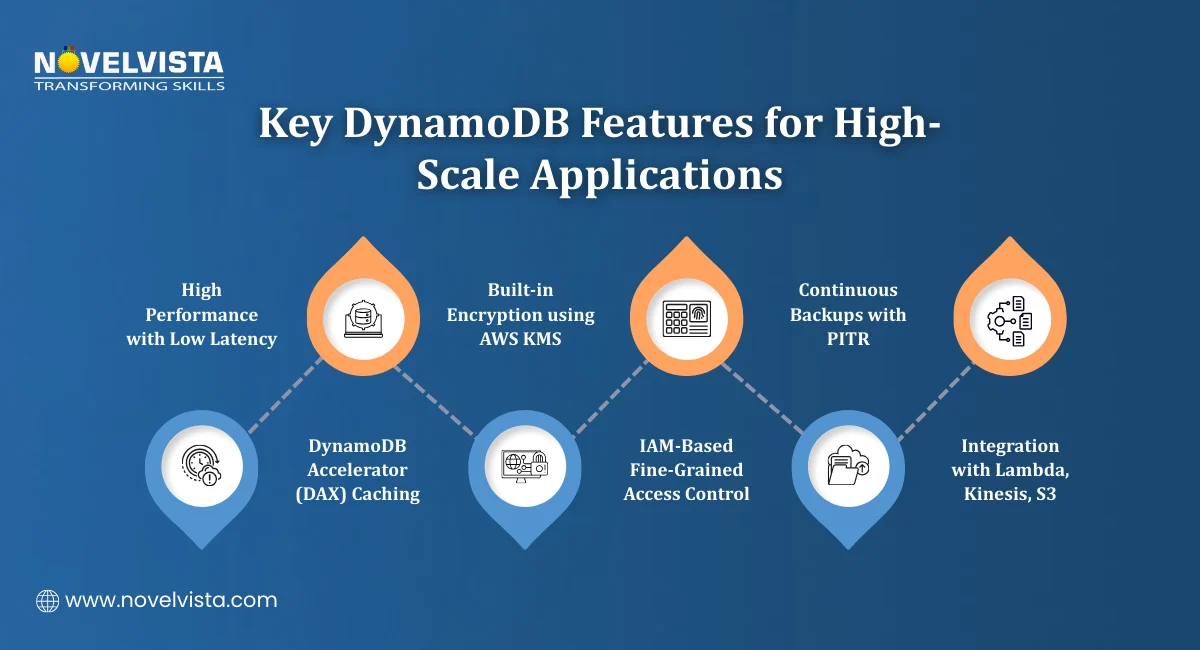
AWS DynamoDB comes with a set of built-in features that cover performance, security, reliability, and integration. Here is a breakdown of the most important ones.
High Performance
DynamoDB delivers consistent low-latency read and write operations at any scale. For applications that need even faster response times, DynamoDB Accelerator (DAX) adds an in-memory caching layer.
DAX reduces response times from milliseconds to microseconds. For read-heavy workloads where the same data is accessed repeatedly, this makes a significant difference.
In performance testing labs, enabling DAX for read-heavy workloads improves response times by up to 80%, especially for frequently accessed, cacheable data patterns.
Security and Compliance
Security is built in rather than bolted on. Key controls include:
AWS KMS encryption is applied by default to data at rest
IAM policies for fine-grained access control at the table and item level
VPC endpoints for secure private connectivity without traffic going over the public internet
Reliability and Data Protection
Amazon DynamoDB supports ACID transactions across multiple items and tables. This means you can run complex operations where either everything succeeds or nothing does, important for financial or order management systems.
For backup and recovery, DynamoDB offers:
Continuous backups that run automatically in the background
Point-in-Time Recovery (PITR), which lets you restore a table to any second within the last 35 days
AWS Ecosystem Integration
Amazon DynamoDB connects natively with other AWS services. The most useful integrations include:
AWS Lambda: Trigger functions automatically when data changes
Amazon Kinesis: Stream change data into analytics pipelines
Amazon S3: Export table data for long-term storage or analysis
These integrations make it straightforward to build event-driven architectures where actions in DynamoDB automatically kick off downstream processes. In real-world recovery simulations, teams using PITR restore critical datasets within minutes, significantly reducing downtime compared to traditional backup-based recovery methods.
DynamoDB Pricing is based on two capacity models. Choosing the right one depends on how predictable your traffic is.
On-Demand Pricing
On-demand mode charges you based on the actual number of read and write requests your application makes. You do not need to specify capacity in advance. The database scales automatically, and you pay for what you use.
A sample cost breakdown for a small workload:
Cost Component |
Estimated Monthly Cost |
|---|---|
Write traffic |
$26.36 |
Read traffic |
$5.27 |
Storage |
$0.50 per GB-month |
Estimated total |
$68.42 |
This model works well for new applications, variable traffic patterns, or workloads that are hard to predict.
Check out the latest DynamoDB pricing here
With provisioned capacity, you define the number of Read Capacity Units (RCUs) and Write Capacity Units (WCUs) your table needs in advance.
Key cost figures:
This model is better suited for applications with consistent, predictable traffic where you can forecast capacity requirements accurately. It typically costs less than on-demand for stable workloads.
From cost planning workshops, provisioned capacity combined with auto-scaling typically lowers long-term costs by 20–30% for stable, high-throughput applications.
Storage in US East regions costs $0.25 per GB-month. The AWS free tier includes 25 GB of storage at no cost, which is enough to get started and run small applications without any charges.
Reserved capacity options are also available for teams that want to commit to longer-term usage in exchange for lower rates.
Understanding DynamoDB Pricing upfront helps you choose the right capacity model and avoid unexpected costs as your application scales.
Every time data changes in your application, something else usually needs to know about it. An order gets placed, a user updates their profile, and a sensor sends a new reading. DynamoDB Streams is the feature that captures these changes and makes them available to other parts of your system in near real-time.
How DynamoDB Streams Works
When you enable Streams on a table, DynamoDB records every item-level change that happens. Every insert, update, and delete gets captured and added to the stream in the order it occurred.
Each record in the stream contains:
The type of change that happened
The item's state before the change
The item's state after the change
This before-and-after view is useful for auditing, debugging, and building systems that react to data changes automatically.
What DynamoDB Streams Integrates With
DynamoDB Streams connects natively with three key AWS services:
AWS Lambda: Trigger a function automatically every time a change is recorded. No polling required.
Amazon Kinesis: Pipe change data into analytics or monitoring pipelines
Amazon S3: Archive change records for long-term storage or compliance
Streams Pricing
DynamoDB Streams pricing is straightforward. It costs $0.02 per 100,000 read request units. For most applications, the cost is minimal relative to the value it provides.
Common Use Cases
Teams use DynamoDB Streams for a range of real-world scenarios:
Event-driven workflows: Automatically trigger downstream actions when data changes without building custom polling logic
Real-time analytics: Feed change data into analytics pipelines to track activity as it happens
Cross-region replication: Replicate data changes to other regions to keep distributed systems in sync
If your application needs to react to data changes quickly and reliably, DynamoDB Streams is the cleanest way to build that capability inside the AWS ecosystem. In most production scenarios we review, Streams costs remain under 5% of total DynamoDB spend, even in high-change environments with frequent item updates.
Learn how to design scalable DynamoDB schemas using partition keys, sort keys,
access patterns, and indexing strategies to improve performance and reduce costs.
Running an application for users across multiple countries introduces a common problem. A database hosted in one region creates latency for users in every other region. DynamoDB Global Tables solves this by replicating your data across multiple AWS regions automatically.
What Are DynamoDB Global Tables?
DynamoDB Global Tables provide multi-region, active-active replication. Active-active means every region has a fully writable copy of the table. Users in each region read from and write to their nearest copy, and AWS keeps all regions in sync automatically.
Key capabilities include:
Low-latency global access: Users in every region get fast response times from a local copy of the data
Automatic synchronization: Changes made in one region are replicated to all other regions without any manual configuration
High availability: If one region has an issue, traffic routes to another region automatically
Amazon DynamoDB Global Tables support deployment across 10 or more AWS regions, making it practical for truly global applications.
Availability and Pricing
DynamoDB Global Tables deliver up to 99.999% availability. That is five nines, which translates to less than six minutes of potential downtime per year.
Replicated write operations are priced at $0.000650 per hour per unit. The cost scales with the number of regions you replicate to, so it is worth planning your region strategy based on where your actual users are located.
When to Use Global Tables
DynamoDB Global Tables are the right choice when:
Your users are distributed across multiple continents, and latency matters
Your application cannot afford regional downtime
You need a database that writes and reads locally in every region without application-level replication logic
For gaming platforms, global e-commerce applications, and any product with an international user base, Global Tables removes a significant amount of complexity from the architecture.
AWS DynamoDB is not a niche tool for specific workloads. It powers some of the most demanding applications across multiple industries.
Where Teams Use AWS DynamoDB
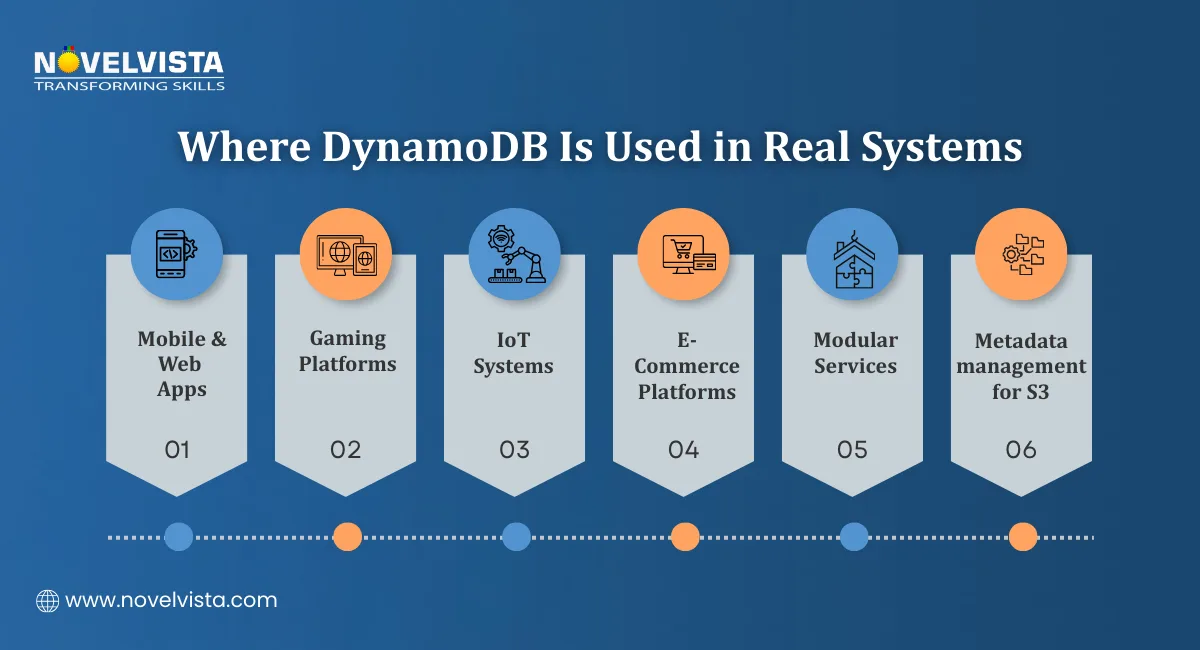
The flexibility of the key-value and document model makes it a good fit across a wide range of application types:
Mobile and web applications: Fast user profile lookups, session management, and personalization data
Gaming platforms: Leaderboards, player state, and game session data that need millisecond response times
IoT systems: Handling millions of sensor readings per second without performance degradation
E-commerce platforms: Product catalogs, inventory tracking, and order management at scale
Microservices architectures: Each service maintains its own DynamoDB table without shared database bottlenecks
Amazon S3 metadata management: Storing and querying metadata for objects at massive scale
In industry use cases we cover, DynamoDB adoption is highest in microservices and IoT systems, where horizontal scaling and low-latency access are critical requirements.
Prime Day Performance
The most well-known example of AWS DynamoDB at scale is Amazon Prime Day. During the event, DynamoDB handles over 100 million requests per second while maintaining 99.99% or higher uptime historically.
That is not a controlled benchmark. That is production traffic from one of the largest retail events in the world. It demonstrates what the architecture is genuinely capable of under real pressure.
DynamoDB Pricing offers flexibility across different workload sizes and budgets. Understanding the full tier structure helps you plan costs accurately before committing to an architecture.
Pricing Tiers Overview
Amazon DynamoDB offers 9 pricing tiers based on workload capacity and region. The cost range runs from:
$0.000000 per hour at the lowest tier, which covers free tier usage and very low workloads
Up to $0.2500 per hour in US East regions for higher capacity workloads
This wide range means AWS DynamoDB is genuinely accessible for:
Startups running small applications that need enterprise-grade infrastructure without enterprise costs
Mid-size teams scaling applications with unpredictable traffic using on-demand pricing
Enterprise systems running high-volume workloads with provisioned capacity and reserved pricing for cost efficiency
Choosing the Right Pricing Model
A quick decision guide:
Workload Type |
Recommended Model |
|---|---|
New or unpredictable traffic |
On-demand pricing |
Consistent and foreseeable traffic |
Provisioned capacity |
Long-term, stable high-volume usage |
Reserved capacity |
Small or experimental applications |
Free tier plus on-demand |
Getting DynamoDB Pricing right from the start avoids overpaying on provisioned capacity you do not use or getting surprised by on-demand costs during unexpected traffic spikes. We consistently recommend validating access patterns and workload behavior through small-scale testing before full deployment, as early assumptions often differ from real usage patterns.
AWS DynamoDB gives development teams a database that handles scale, performance, and availability without the operational overhead of managing infrastructure.
From the serverless architecture and millisecond latency to real-time change tracking with DynamoDB Streams and global replication with DynamoDB Global Tables, the feature set covers what modern cloud applications actually need.
The pricing flexibility means it works for a small side project and an enterprise platform running at Prime Day scale. The AWS ecosystem integrations mean it fits naturally into event-driven architectures without extra plumbing.
If your application needs a database that grows with your traffic, stays fast under load, and does not require a dedicated team to keep it running, Amazon DynamoDB is a strong choice worth evaluating seriously.

Next Step
NovelVista's AWS Solutions Architect Associate certification training gives you the hands-on knowledge to design and deploy scalable cloud architectures on AWS. From core services like DynamoDB to full solution design, the course prepares you for both the certification exam and real-world cloud work.
Explore NovelVista's AWS Solutions Architect Associate Training and start building your cloud expertise today.
Author Details

Confused About Certification?
Get Free Consultation Call
Stay ahead of the curve by tapping into the latest emerging trends and transforming your subscription into a powerful resource. Maximize every feature, unlock exclusive benefits, and ensure you're always one step ahead in your journey to success.