Category | DevOps
Last Updated On 28/02/2026
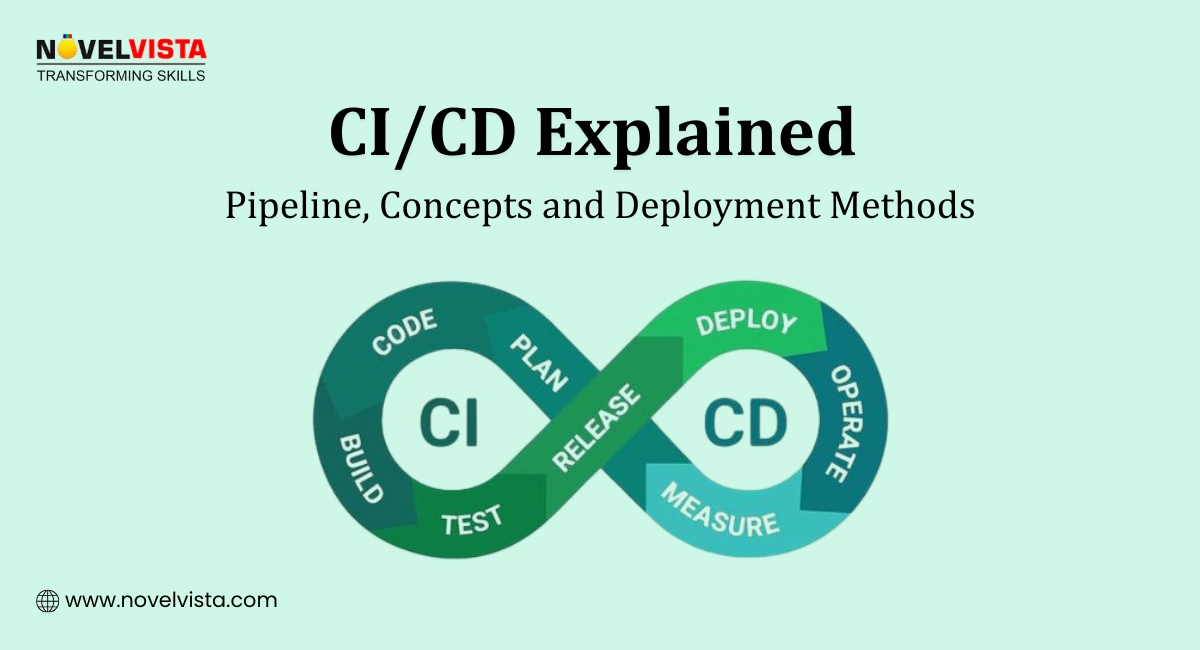
Releases used to be stressful events. Late-night deployments, last-minute bugs, and rollback panic were normal. Today, teams expect code to move safely from commit to production through an automated CI/CD Pipeline and that shift has completely changed how software is delivered.
If you’ve heard developers talk about automation, DevOps speed, or reliable releases, they are usually talking about CI/CD. This guide explains what it really means, how pipelines work, and how teams choose the right deployment approach without overcomplicating things.
Area |
Summary |
CI/CD |
Automates build, testing, and deployment workflows |
CI |
Frequent code integration with automated testing |
Continuous Delivery |
Code is always production-ready with manual approval |
Continuous Deployment |
Fully automated releases |
CI/CD Pipeline |
Automated flow from code commit to production |
Key Benefit |
Faster releases with fewer errors |
A well-designed CI/CD Pipeline turns software delivery into a predictable, repeatable process.
So, What is CI/CD?
CI/CD is a DevOps practice that automates how software is built, tested, and deployed. Instead of manual releases, automation ensures every change moves through a structured process.
Traditionally, deployments involved:
Manual builds
Manual testing
High risk of human mistakes
Modern teams replace that with automated workflows powered by a CI/CD Pipeline.
Key outcomes include:
Early bug detection
Consistent releases
Faster delivery cycles
Because software updates happen frequently today, CI/CD helps teams scale development without increasing risk. In our DevOps transformation workshops, teams moving from quarterly releases to CI/CD pipelines typically reduce deployment weekends by 70% within the first two implementation cycles.
Understanding CI/CD becomes easier when we break it into its main components.
1. Continuous Integration (CI)
Continuous Integration focuses on merging code frequently.
Developers:
Push code changes to a shared repository (like Git)
Trigger automated builds and tests after every commit
This approach:
Detects errors early
Reduces integration conflicts
Keeps the codebase stable
Instead of waiting weeks to combine changes, teams integrate daily — sometimes multiple times per day.
2. Continuous Delivery
Continuous Delivery prepares software for release automatically but keeps a human approval step.
Here:
Code passes automated testing
Builds become production-ready
Deployment happens only after approval
This model works well for:
Financial systems
Healthcare platforms
Regulated environments
Teams gain automation benefits while maintaining control.
3. What is Continuous Deployment
Many teams ask, What is Continuous Deployment?
Continuous Deployment removes the final manual step.
Once tests pass:
Code is automatically released to production
No human intervention is required
This makes releases:
Faster
Smaller
Less risky due to frequent updates
Understanding What is Continuous Deployment helps teams decide how much automation they truly need.
4. Continuous Delivery vs Continuous Deployment
The difference between Continuous Delivery vs Continuous Deployment often causes confusion.
Aspect |
Continuous Delivery |
Continuous Deployment |
Release Approval |
Release Approval |
Fully automated |
Risk Control |
Human checkpoint |
Automated validation |
Speed |
Fast |
Fastest |
Best Use |
Regulated systems |
High-velocity teams |
Choosing between Continuous Delivery vs Continuous Deployment depends on business risk tolerance and compliance needs. Across regulated industry cohorts we train, over 60% initially choose Continuous Delivery. After audit alignment and automated controls, many gradually transition selected services to full deployment automation.
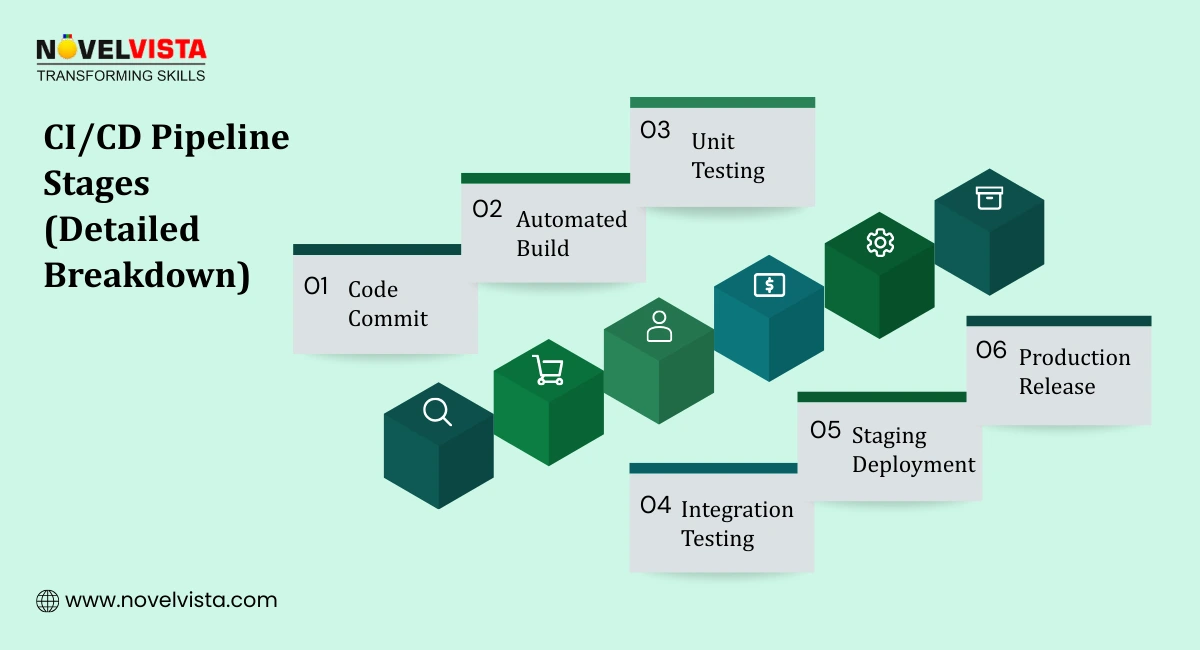
A CI/CD Pipeline represents the automated journey of code from development to production.
Typical stages include:
1. Code Commit
Developers push changes to version control systems like Git.
2. Build Automation
The system compiles code and prepares application packages automatically.
3. Automated Testing
Includes:
Unit testing
Integration testing
Security checks
4. Deployment to Staging
The application runs in a production-like environment for validation.
5. Production Release
After validation, software reaches end users.
This workflow defines modern CI/CD, enabling continuous integration and delivery without manual bottlenecks.
A mature CI/CD Pipeline ensures every release follows the same reliable process.
Different teams adopt different deployment levels depending on risk tolerance and maturity.
1. Manual Deployment
Traditional approach where engineers deploy software manually.
Challenges include:
High chance of human error
Slow release cycles
Inconsistent environments
Manual methods struggle to support modern development speed.
2. Continuous Delivery
Semi-automated deployment model.
Automation handles:
Builds
Testing
Packaging
Humans approve production releases.
This approach balances speed and control, making it common in enterprise environments adopting CI/CD gradually.
3. Continuous Deployment
Fully automated deployment workflow.
Once validation succeeds:
Code moves directly to production
Releases happen multiple times daily
Teams practicing agile and cloud-native development often rely on this model for rapid innovation.
Validate repository readiness, automation setup, security checks,
rollback plans,and monitoring basics to prepare your CI/CD
pipeline for reliable and stable deployments.
Automation becomes practical only when supported by the right tooling. Modern DevOps teams rely on specialized Continuous Deployment Tools to manage builds, testing, and releases efficiently.
Some widely used tools include:
Choosing the right Continuous Deployment Tools depends on:
Many organizations experiment with multiple Continuous Deployment Tools before standardizing their pipeline. Tool selection workshops often reveal over-engineered pipelines. Standardizing on one primary platform improves maintenance efficiency and reduces configuration drift across teams within three to six months.
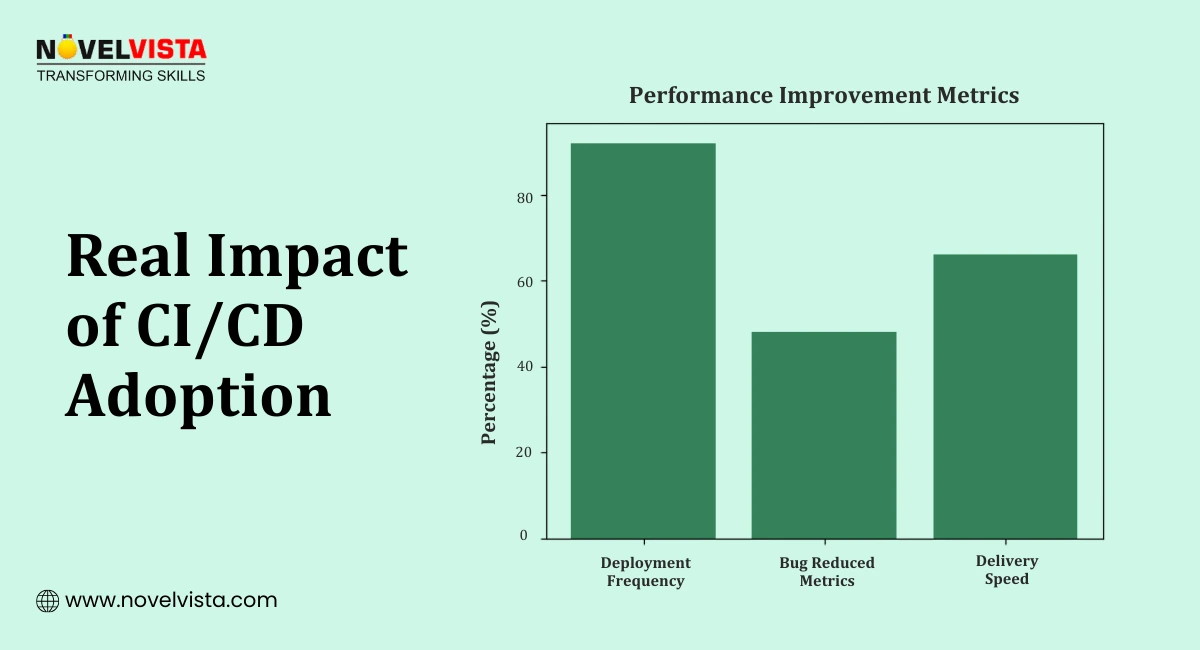
Adopting CI/CD changes how teams build, test, and release software. Instead of treating deployment as a risky event, teams turn delivery into a smooth and predictable routine.
Faster and More Reliable Releases
Automation removes repetitive manual steps, allowing teams to release updates more frequently. Smaller releases are easier to manage and reduce last-minute surprises during deployment.
Improved Software Quality
Automated testing runs every time code changes are introduced. Issues are detected early, which prevents defects from reaching production and improves overall application stability.
Reduced Deployment Risk
Because changes are integrated and tested continuously, teams avoid large, complex releases. Problems become easier to identify and fix before they affect users.
Better Team Collaboration
Developers, testers, and operations teams work within the same automated workflow. Shared visibility into the pipeline improves communication and reduces misunderstandings.
Consistent Delivery Process
Every release follows the same structured CI/CD Pipeline, ensuring predictable outcomes. This consistency makes environments easier to maintain and simplifies troubleshooting.
Higher Developer Productivity
Engineers spend less time on manual deployment tasks and more time building features and improving applications. Automation allows teams to focus on innovation instead of routine operations.
In client engagements where CI/CD metrics are reviewed monthly, deployment failure rates typically decline by 20–30% after teams establish measurable release quality benchmarks.
Key Advantages of CI/CD
Faster Releases: Automation removes manual bottlenecks, allowing frequent updates.
Improved Software Quality: Automated testing catches defects early.
Reduced Deployment Risk: Smaller, frequent releases reduce failure impact.
Consistent Delivery: Every release follows the same validated process inside a CI/CD Pipeline.
Over time, teams notice fewer emergency fixes and more predictable deployments.
A successful CI/CD Pipeline is not just about tools — it’s about habits and workflow discipline.
Make Small, Frequent Commits
Smaller changes are easier to test and debug.
Automate Testing Completely
Include:
Unit tests
Integration tests
Security scans
Automation builds confidence in releases.
Maintain Pipeline Visibility
Dashboards and alerts help teams monitor pipeline health and failures quickly.
Implement Monitoring and Rollbacks
Even automated deployments need safety nets:
Post-release monitoring
Quick rollback mechanisms
Continuously Improve the Pipeline
Teams should regularly analyze:
Deployment time
Failure rates
Test coverage
Mature CI/CD environments treat the pipeline itself as a product that evolves.
Modern software delivery depends on speed without sacrificing reliability. CI/CD makes that balance possible by automating builds, testing, and releases through a structured CI/CD Pipeline.
In recent certification batches, more than 75% of participants reported improved release confidence after implementing structured pipeline reviews and automated rollback simulations in live environments.
Whether teams choose Continuous Delivery or full automation, the goal remains the same: consistent, safe, and scalable deployments. Starting small with automation and gradually improving workflows helps organizations build confidence while moving toward enterprise-scale delivery.

Next Step: Build Reliability Skills with SRE Training
If you want to go beyond automation and learn how high-performing teams maintain reliability at scale, NovelVista’s SRE Foundation and SRE Practitioner Certification Training provides practical knowledge on monitoring, automation, incident response, and reliability engineering practices. The program helps professionals understand how CI/CD, observability, and service reliability work together to support modern software delivery environments.
Author Details

Confused About Certification?
Get Free Consultation Call
Stay ahead of the curve by tapping into the latest emerging trends and transforming your subscription into a powerful resource. Maximize every feature, unlock exclusive benefits, and ensure you're always one step ahead in your journey to success.