

DevOps Developer Certification Training and Course
This DevOps Developer Certification by NovelVista is designed to help professionals build practical expertise in automation, CI/CD pipelines, and modern software delivery. This DevOps Developer Course helps you streamline development workflows, improve collaboration, and accelerate high-quality releases.
- Industry Expert Trainers
- Online learning session
- Accredited Trainer
- Exam fee included

DevOps Developer Training & Certification Course Overview
The DevOps Developer Certification is designed to help professionals build practical expertise in modern software delivery, automation, and collaborative engineering practices. This DevOps Developer Training focuses on applying DevOps principles to accelerate development cycles, improve release quality, and strengthen team efficiency.
This DevOps Developer Course covers key areas such as CI/CD pipelines, Jenkins, Git repositories, cloud computing, build automation, testing automation, Docker, deployment workflows, and monitoring practices. Through this Certified DevOps Developer program, learners gain the ability to support faster, reliable, and scalable software delivery.
Delivered by NovelVista, this program follows a practical learning approach with real-world scenarios, case studies, and hands-on exercises. By completing this DevOps Developer Certification, professionals will be prepared to contribute confidently to development and DevOps teams while advancing their careers in software engineering and cloud environments.
What You Will Get?
Learning Outcome
After the completion of the course, the participants would be able to:
Training Calendar
English
- Self paced videos, assessments, recall quizzes, more
- For more details, reach us at training@novelvista.com
Includes Training, Exam & Certification
Lifetime Access
- Self paced videos, assessments, recall quizzes, more
- For more details, reach us at training@novelvista.com
Includes Training, Exam & Certification
Course Curriculum
This DevOps Developer Course is designed to help you build practical expertise in CI/CD pipelines, automation, cloud environments, containerization, and efficient software delivery practices.
Module 1: What is DevOps+
Build a strong foundation in DevOps culture, principles, and the business value of collaborative software delivery.
- Introduction to DevOps: Learn what DevOps means, why it emerged, and how it improves collaboration, delivery speed, software quality, and operational efficiency across teams.
- Benefits of DevOps: Understand how DevOps helps organizations release faster, reduce errors, improve reliability, and respond quickly to changing business needs.
- Core DevOps Principles: Learn principles such as automation, collaboration, feedback loops, continuous improvement, shared ownership, and faster value delivery through modern practices.
- DevOps Lifecycle Overview: Explore how planning, coding, building, testing, releasing, deploying, operating, and monitoring connect within a continuous delivery lifecycle model.
- DevOps Roles and Responsibilities: Understand how developers, testers, operations teams, security teams, and platform engineers contribute to successful DevOps implementation outcomes.
Module 2: Introduction to CI/CD+
Learn how continuous integration and continuous delivery improve speed, consistency, and software quality.
- Continuous Integration Fundamentals: Learn how developers frequently merge code changes, run automated builds, and detect issues early through continuous integration practices.
- Continuous Delivery Concepts: Understand how automated pipelines prepare tested, release-ready software that can be deployed quickly, safely, and consistently whenever required.
- CI/CD with Jenkins: Learn how Jenkins automates builds, testing, deployments, and workflow orchestration for reliable continuous integration and delivery pipelines.
- SDLC and DevOps Culture: Explore how DevOps modernizes traditional software development lifecycle processes by improving collaboration, automation, and release efficiency across teams.
- Jenkins Features and Architecture: Understand Jenkins architecture, plugins, controller-agent models, integrations, and scalability features used in enterprise automation environments.
Module 3: Cloud Overview (IaaS, SaaS, PaaS)+
Build practical understanding of cloud platforms used in DevOps delivery models.
- Cloud Computing Fundamentals: Learn core cloud computing concepts and why cloud platforms enable scalable, flexible, and faster software delivery operations.
- IaaS, PaaS, and SaaS Models: Understand the differences between cloud service models and when organizations choose each option for technical and business requirements.
- Advantages of Cloud Computing: Explore benefits such as elasticity, cost optimization, rapid provisioning, global availability, and simplified infrastructure management through cloud adoption.
- Cluster Concepts in Cloud: Learn how clusters distribute workloads, improve fault tolerance, and support high availability for business-critical applications.
- Creating and Accessing AWS Clusters: Understand how to create cloud instances, access AWS environments, and prepare systems for development and deployment tasks.
Module 4: Getting Started with Jenkins+
Learn how to install, configure, and use Jenkins for automation pipelines.
- Installing Jenkins: Learn Jenkins installation prerequisites, setup methods, and initial configuration steps for creating a stable automation environment.
- Configuring Jenkins: Understand how to manage users, credentials, plugins, security settings, and system preferences for efficient Jenkins operations.
- Creating Jenkins Jobs: Learn how to create freestyle and pipeline jobs that automate builds, tests, packaging, and deployment workflows.
- Pipeline View and Monitoring: Explore dashboards, status views, and monitoring features that improve visibility into pipeline health and execution progress.
- Installing Artifactory Integration: Understand how artifact repositories integrate with Jenkins to store, manage, and distribute build outputs efficiently.
Module 5: DevOps Tool Repository with Git+
Learn how version control systems improve collaboration, code management, and release consistency.
- Understanding Git Repositories: Learn how Git repositories store code changes, support collaboration, and maintain version history across distributed development teams.
- Benefits of Using Git: Understand how Git improves branching, merging, rollback capability, collaboration speed, and overall software development efficiency.
- Checkout and Code Retrieval: Learn how developers clone, pull, fetch, and check out code for local development and testing activities.
- Version Control Workflows: Explore how commits, branches, merges, and pull requests support controlled software delivery workflows.
- Creating Repositories Efficiently: Understand how to create repositories, structure projects, and manage access permissions for secure collaboration.
Module 6: Build Jobs and Configurations+
Build knowledge of automated builds, scheduling, and artifact management practices.
- Introduction to Build Jobs: Learn how to build jobs to automate compilation, packaging, testing, and preparation of applications for deployment pipelines.
- Build Configuration Basics: Understand how environment variables, scripts, dependencies, and parameters control build execution behavior effectively.
- Continuous Integration Pipelines: Learn how integrated build pipelines validate code continuously and reduce defects before releases.
- Managing Build Artifacts: Explore how artifacts are stored, versioned, secured, and shared across deployment stages efficiently.
- Triggers, Scheduling, and Notifications: Understand how schedules, webhooks, alerts, and notifications improve pipeline responsiveness and team coordination.
Module 7: CI/CD Pipeline Using Gradle, Artifactory, and Jenkins+
Learn how modern tools integrate to automate software delivery workflows.
- Gradle Build Automation Fundamentals: Learn how Gradle automates builds, dependency management, testing, and packaging for application projects.
- Configuring Artifactory Repositories: Understand how Artifactory stores artifacts, dependencies, and versioned packages for reliable delivery workflows.
- Creating Integrated CI/CD Pipelines: Learn how Jenkins, Gradle, and Artifactory work together to automate complete delivery pipelines.
- Pipeline Optimization Practices: Explore methods to improve pipeline speed, reliability, and maintainability using structured configurations.
- Troubleshooting Pipeline Failures: Understand how to diagnose failed stages, dependency issues, and configuration errors in CI/CD pipelines.
Module 8: CI/CD Pipeline Using Maven and Jenkins+
Develop practical knowledge of Java-based delivery automation using Maven.
- Creating Java Application Projects: Learn how to structure Java projects and prepare them for automated builds and deployments.
- Maven Build Lifecycle Basics: Understand Maven phases such as compile, test, package, verify, install, and deploy within build workflows.
- Jenkins and Maven Integration: Learn how Jenkins executes Maven jobs for continuous integration and automated testing pipelines.
- Pipeline Construction with Maven: Explore how multi-stage pipelines automate builds, tests, packaging, and release readiness processes.
- Improving Build Reliability: Understand dependency management, reusable configurations, and quality gates for stable Maven pipelines.
Module 9: Configuring Build Pipelines+
Learn how structured pipelines improve automation consistency, visibility, and release efficiency.
- Lab Overview and Objectives: Learn the purpose of building pipelines, expected outcomes, and how automated workflows improve delivery consistency.
- Setting Up the Environment: Understand how to prepare tools, repositories, credentials, and agents before pipeline execution begins.
- Basic Pipeline Creation: Learn how to create simple pipelines that automate build, test, and packaging stages effectively.
- Adding Triggers to Pipelines: Explore how schedules, commits, and webhooks automatically start pipelines without manual intervention.
- Pipeline Best Practices: Understand naming standards, modular stages, reusable scripts, and secure configuration methods for maintainable pipelines.
Module 10: Automated Testing in Jenkins+
Build knowledge of integrating quality checks directly into CI/CD workflows.
- Lab Overview and Objectives: Learn how automated testing strengthens quality assurance and reduces release risks in delivery pipelines.
- Unit Test Integration: Understand how unit tests validate code behavior early and improve developer confidence during changes.
- Code Coverage Integration: Learn how coverage tools measure tested code areas and highlight missing test scenarios.
- Integration Test Automation: Explore how automated integration tests validate interactions between services, modules, and databases.
- Test Reporting and Feedback: Understand how dashboards and notifications help teams act quickly on failures.
Module 11: Code Quality Improvement Using Jenkins+
Learn how automated quality controls maintain healthier codebases over time.
- Lab Overview and Objectives: Learn the goals of code quality automation and how it improves maintainability and reliability.
- Setting Up the Environment: Understand how plugins, scanners, credentials, and repositories are prepared for quality checks.
- Static Code Analysis Integration: Learn how static analysis detects bugs, vulnerabilities, duplications, and coding standard violations automatically.
- Quality Gates and Policies: Explore how thresholds prevent poor-quality code from progressing through pipelines.
- Continuous Code Improvement: Understand how recurring analysis drives better coding practices across teams.
Module 12: Automated Deployment and Continuous Delivery+
Understand how deployments become faster, safer, and repeatable through automation.
- Lab Overview and Objectives: Learn how automated deployment reduces manual effort and improves release consistency.
- Setting Up the Environment: Understand servers, credentials, environments, and approvals needed before deployment automation starts.
- Deployment Pipeline Fundamentals: Learn how staged releases move applications through test, staging, and production environments.
- Rollback and Recovery Planning: Explore strategies for quick rollback when production issues occur after deployment.
- Release Governance Controls: Understand approvals, audit trails, and controls used in enterprise delivery environments.
Module 13: Distributed System in Jenkins+
Learn how Jenkins scales automation workloads using distributed architectures and multiple execution nodes.
- Lab Overview and Objectives: Learn the purpose of distributed Jenkins environments and how they improve scalability, speed, and workload distribution.
- Master-Agent Architecture Setup: Understand how Jenkins controller and agent nodes work together to execute pipelines efficiently across environments.
- Node Labels and Assignment: Learn how labels route jobs to the right agents based on operating system, tools, or workload needs.
- Load Distribution and Resource Optimization: Explore how multiple agents reduce bottlenecks and improve pipeline execution performance during peak workloads.
- Securing Distributed Jenkins Environments: Understand how credentials, access controls, and secure communication protect multi-node Jenkins environments.
Module 14: Docker Overview and Understanding+
Build practical knowledge of containerization for consistent application packaging and deployment.
- Docker Architecture Fundamentals: Learn how Docker uses images, containers, registries, and engines to package and run applications consistently.
- Benefits of Docker: Understand how Docker improves portability, scalability, faster deployments, and environment consistency across development and production systems.
- Docker Installation in AWS: Learn how to install Docker on AWS instances and prepare environments for container-based workloads.
- Deploying Images in AWS Clusters: Explore how Docker images are deployed across cloud clusters for scalable application delivery.
- Docker Commands and Operations: Understand common Docker commands for building, running, stopping, inspecting, and managing containers effectively.
Module 15: Monitoring Application Logs Using ELK+
Learn how centralized logging improves visibility, troubleshooting, and operational intelligence.
- Introduction to ELK Stack: Learn how Elasticsearch, Logstash, and Kibana work together for centralized log analytics and monitoring.
- Understanding Kibana: Understand how Kibana dashboards visualize logs, metrics, trends, and operational insights for teams.
- Installing and Configuring Kibana: Learn setup basics, configuration steps, and access methods for Kibana environments.
- Searching and Analyzing Logs: Explore how teams search logs, filter events, and identify incidents quickly through analytics tools.
- Operational Monitoring Best Practices: Understand how log retention, dashboards, alerts, and reviews improve production reliability over time.
Course Details
What will I learn?+
This DevOps Developer Certification provides a complete, practical learning experience designed to help you build DevOps expertise and achieve certification with confidence.
- Engaging digital learning videos
- Access to expert-led sessions and case studies
- Downloadable resources and reference templates
- AI-based roleplay and simulation exercises
- Practice exams and mock tests
- Certification exam voucher
- Two exam attempts
- Hands-on learning with real-world scenarios
- Interview preparation support
- Globally recognized certification
Eligibility+
This DevOps Developer Course is designed for professionals who want to build expertise in automation, CI/CD, cloud delivery, and modern software development practices.
- Software developers and programmers
- DevOps engineers and practitioners
- QA and test automation professionals
- Build and release engineers
- Cloud engineers and infrastructure teams
- IT professionals transitioning into DevOps roles
- Students and fresh graduates interested in DevOps careers
- Anyone looking to build a career in DevOps development
Pre-Requisites+
There are no strict mandatory requirements for this DevOps Developer Course. However, having basic knowledge will help you learn more effectively.
- Basic understanding of software development concepts
- Familiarity with programming or scripting is helpful
- Awareness of Linux, cloud, or version control concepts is beneficial
- Basic analytical and problem-solving skills
- Interest in automation, CI/CD, and modern DevOps practices
DevOps Developer Exam Format+
- Participants are recommended to undergo 16 hours of training by qualified DevOps trainer
- The examination consists of 40 multiple-choice questions. All questions must be attempted
- Passing score is 70% i.e. 28 out of 40 questions must be answered correctly
- It is a closed book examination
Training Delivery Style+
This DevOps Developer Training is delivered in a flexible self-paced format, allowing you to learn at your own pace and convenience.
- Fully self-paced online learning
- Anytime, anywhere access
- Structured digital learning modules
- On-demand expert-led video sessions
- Practice tests and mock exams
- AI-based roleplay and simulations
- Downloadable resources and templates
- Lifetime access to course content
Benefits of DevOps Developer Course+
This DevOps Developer Certification helps you build practical automation skills, accelerate software delivery, and strengthen your career in modern engineering environments.
- Build Strong DevOps Foundations: Learn core DevOps principles, culture, collaboration models, and modern delivery practices used by high-performing technology teams.
- Master CI/CD Pipelines: Gain practical knowledge of continuous integration and continuous delivery pipelines that speed up releases and improve software quality.
- Improve Automation Skills: Learn how automation reduces manual effort, increases consistency, and supports faster development and deployment cycles.
- Hands-On Experience with Jenkins: Build confidence using Jenkins for builds, testing, workflow orchestration, and deployment automation tasks.
- Work with Git and Version Control: Understand repository management, branching strategies, collaboration workflows, and controlled code releases using Git.
- Develop Cloud Delivery Knowledge: Learn how cloud platforms support scalable infrastructure, faster provisioning, and modern application deployment practices.
- Understand Containerization with Docker: Gain foundational knowledge of containers for portable, lightweight, and consistent application environments.
- Enhance Monitoring and Quality Practices: Learn how testing automation, code quality checks, and logging improve reliable software delivery.
- Increase Career Opportunities: Strengthen your professional profile for roles in DevOps, software engineering, cloud operations, and release management.
- Earn a Globally Recognized Certification: Validate your expertise with a certification that demonstrates practical DevOps development knowledge and delivery skills.
DevOps Developer Training & Certification Exam Format
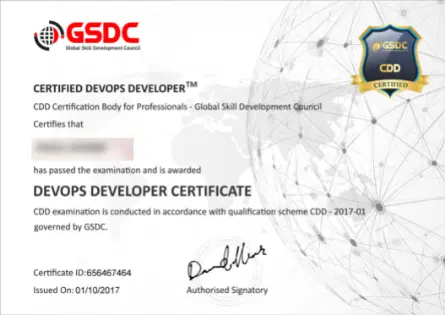
Exam Format - Objective Type, Multiple Choice
Exam Duration - Participants are recommended to undergo 16 hours of training by qualified DevOps trainer
No. of Questions - The examination consists of 40 multiple-choice questions. All questions must be attempted
Passing Criteria - Passing score is 70% i.e. 28 out of 40 questions must be answered correctly
Certificate - Within 5 business days
Result - Immediately after the exam
Closed book&