Category | CLOUD and AWS
Last Updated On 10/03/2026
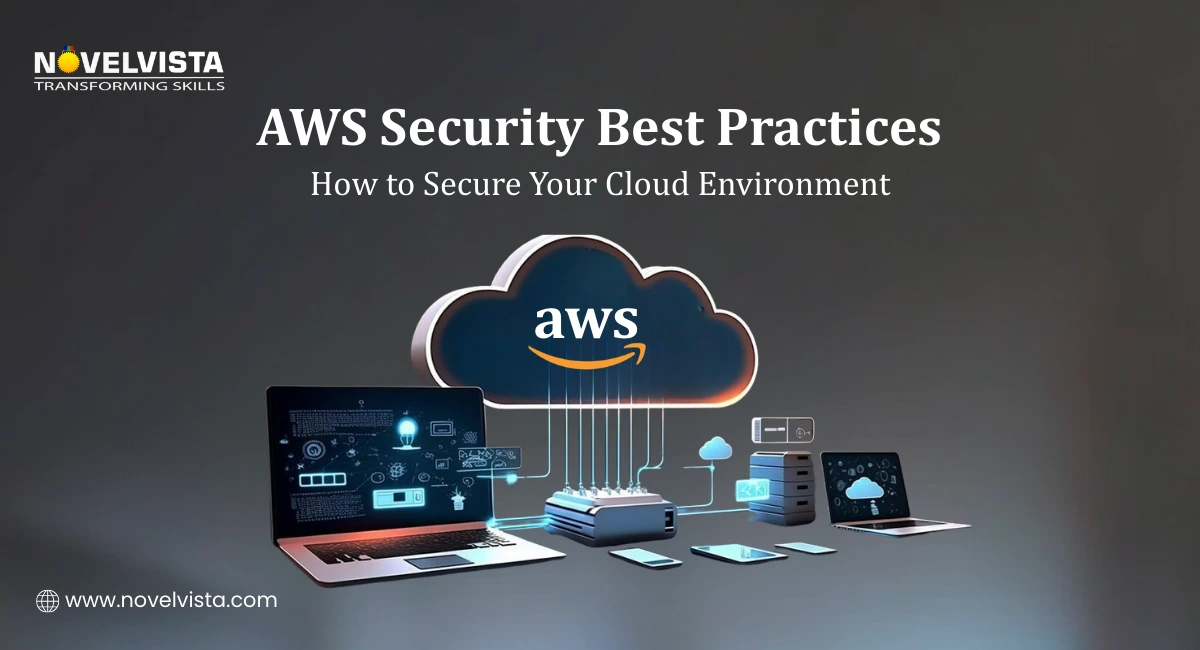
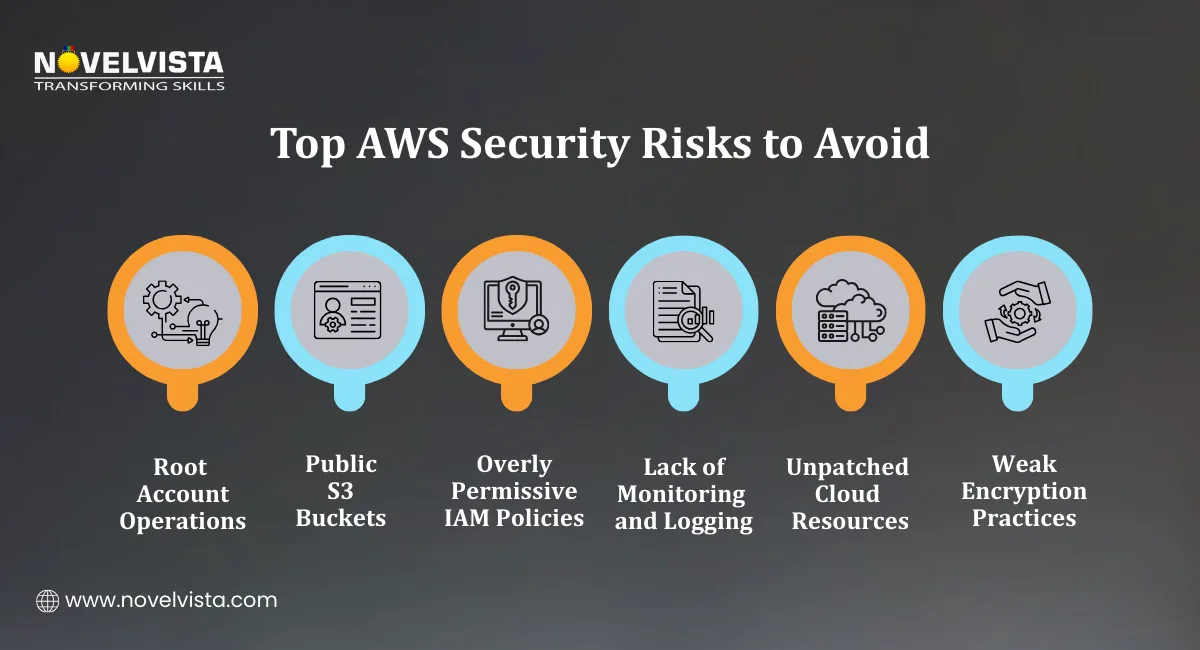
A surprising number of cloud breaches don’t happen because attackers are sophisticated. They happen because something simple was left open. A public S3 bucket. An unused credential. A root account without MFA. These small gaps often lead to major incidents. That is exactly why AWS Security Best Practices exist — to help organizations secure cloud environments before problems appear.
Today, cloud infrastructure powers critical applications, customer data platforms, and entire business operations. Without strong AWS Security Best Practices, even a small configuration mistake can expose sensitive systems to the internet.
During our AWS security workshops, nearly 60% of learner lab environments initially expose at least one resource publicly, typically S3 buckets or SSH ports. Fixing these gaps is often the first practical security exercise.
This guide explains the most practical AWS Cloud Security Best Practices used by organizations to protect identities, networks, and data inside AWS environments. From IAM security to monitoring and threat detection, these practices help teams build a secure cloud architecture that scales safely.
TL;DR: AWS Security Best Practices Overview
Security Area |
Key Practice |
Why It Matter |
|---|---|---|
Identity Security |
Protect root account, enforce MFA, apply least privilege |
Prevents unauthorized access and privilege escalation |
Data Protection |
Encrypt data at rest and in transit |
Protects sensitive data across storage and applications |
Network Security |
Use private subnets, security groups, and NACL |
Reduces exposure to external threat |
Monitoring |
Enable CloudTrail, GuardDuty, and Security Hub |
Detects suspicious activity and misconfigurations |
Automation |
Use automated security policies and compliance tools |
Maintains security at scale across multiple AWS accounts |
Organizations implementing strong AWS Security Best Practices rely on automation, strict identity controls, and continuous monitoring to maintain secure cloud operations.
Industry reports show that 76% of cloud security incidents in 2024 were caused by configuration mistakes, making proactive AWS Cloud Security Best Practices essential.
Identity management is the first line of defense in any cloud environment. One of the most important AWS Security Best Practices is protecting the AWS root account and controlling how users access resources.
The root account has full administrative privileges. If it becomes compromised, attackers can access every resource in the AWS account.
Organizations should treat the root account as an emergency-only credential.
Recommended steps include:
These actions reduce the risk of unauthorized administrative access.
Modern organizations rarely manage users manually in AWS accounts. Instead, centralized access management simplifies security.
AWS Identity Center allows organizations to:
Centralized identity management is a core part of AWS Cloud Security Best Practices.
Another key component of AWS Security Best Practices is the principle of least privilege. This means users should only receive permissions necessary to perform their specific tasks.
Examples include:
Least privilege policies significantly improve overall AWS Security posture.
Long-term access keys can create security risks if they are leaked or misused.
To reduce this risk, organizations should use:
Temporary credentials expire automatically and reduce the risk of credential abuse. This practice is widely recommended in AWS Cloud Security Best Practices.
In cloud security assessments we conduct, long-term access keys are still present in many environments. Replacing them with IAM roles and STS tokens often removes dozens of persistent credentials immediately.
Strong identity security requires several supporting controls.
Key IAM practices include:
ABAC allows access decisions based on resource tags rather than static permissions.
For example:
This approach improves scalability for large environments by implementing AWS Security Best Practices.
Data protection is another core pillar of AWS Security Best Practices. Organizations must ensure that sensitive information remains protected whether it is stored, processed, or transmitted.
AWS provides built-in encryption capabilities across most storage services.
Encryption at Rest
Encryption at rest ensures that stored data remains protected even if unauthorized access occurs.
Common AWS services that support encryption include:
Amazon S3 for object storage
Amazon EBS for block storage volumes
Amazon RDS for managed databases
These services can be configured to automatically encrypt data using AWS-managed or customer-managed keys.
Encryption is a fundamental part of AWS Cloud Security Best Practices.
Use AWS Key Management Service (KMS)
Managing encryption keys manually can be complex and risky. AWS Key Management Service (KMS) simplifies key management by providing:
Centralized encryption key control
Role-based access permissions
Automatic key rotation
KMS allows organizations to enforce strong encryption policies across cloud infrastructure. Strong encryption management significantly improves overall AWS Security.
Protect Data in Transit
Data should not only be encrypted when stored it should also be protected while moving between systems.
This means enforcing:
TLS/SSL encryption
Secure API communication
Encrypted connections between applications and databases
These controls ensure data cannot be intercepted during transmission. Protecting both stored and transmitted data is a key part of AWS Security Best Practices.
Secure Amazon S3 Access
S3 storage misconfigurations are one of the most common causes of cloud breaches. Several AWS Cloud Security Best Practices help prevent this problem.
Recommended steps include:
Enable S3 Block Public Access at both account and bucket levels
Use bucket policies to restrict access
Enable server-side encryption by default
Monitor access logs regularly
These steps prevent accidental public exposure of sensitive files.
Protect Application Secrets
Many security incidents happen because credentials are hardcoded inside application code. Instead of storing passwords in configuration files, organizations should use:
AWS Secrets Manager. This service allows secure storage and rotation of:
API keys
Database credentials
Authentication tokens
In application security training environments, hardcoded credentials appear in roughly one-third of sample deployments. Moving secrets to AWS Secrets Manager significantly improves credential rotation and reduces exposure risk.
This approach strengthens application-level AWS Security and aligns with recommended AWS Security Best Practices.
After identity and data protection, the next layer of AWS Security Best Practices focuses on network architecture. Many security incidents occur because resources are exposed to the internet unnecessarily. Designing a secure network layout significantly reduces that risk.
A strong network design ensures that only the required systems are accessible while internal services remain protected.
Design Secure VPC Architectures
One of the most recommended AWS Cloud Security Best Practices is building a well-structured Virtual Private Cloud (VPC).
A typical secure architecture includes:
Public subnets for internet-facing components such as load balancers or web gateways
Private subnets for application servers and databases
Routing rules that restrict unnecessary external access
By isolating critical workloads inside private networks, organizations improve overall AWS Security.
Use NAT Gateways for Private Resources
Private servers often need internet access to download updates or communicate with external services.
However, exposing them directly to the internet can create security risks. A NAT Gateway allows private instances to:
Access the internet for updates
Remain unreachable from external networks
This design pattern is widely used in AWS Security Best Practices to protect internal systems.
Configure Security Groups and Network ACLs
Two main security layers protect network traffic inside AWS environments.
1. Security Groups
Security groups act as instance-level firewalls. They are stateful, meaning return traffic is automatically allowed.
Typical rules include:
Allowing HTTP/HTTPS traffic to web servers
Restricting database access to internal application servers
2. Network Access Control Lists (NACLs)
NACLs function as subnet-level firewalls. Unlike security groups, they are stateless, meaning rules must be defined for both inbound and outbound traffic.
Using both controls together strengthens AWS Security across networking layers.
Replace Bastion Hosts with Session Manager
Traditional architectures often used bastion hosts for secure server access. However, maintaining these servers introduces additional security risks.
A modern alternative recommended in AWS Cloud Security Best Practices is AWS Systems Manager Session Manager.
Session Manager allows administrators to:
Connect to instances without opening SSH ports
Maintain full audit logs of session activity
Eliminate the need for public-facing bastion servers
This significantly improves operational AWS Security.
Monitor Network Traffic with VPC Flow Logs
Network monitoring helps detect suspicious behavior such as unexpected outbound connections or scanning attempts.
VPC Flow Logs record information about network traffic entering and leaving resources. Security teams use these logs to:
Identify unusual traffic patterns
Investigate potential attacks
Monitor access between services
Network visibility is an essential part of AWS Security Best Practices. Security research in 2025 reported that over 1,200 publicly exposed S3 buckets were detected daily, emphasizing the importance of proper network and access configuration.
Strong security does not stop at configuration. Continuous monitoring is necessary to detect unusual activity and respond quickly to threats.
Monitoring is therefore a central part of AWS Cloud Security Best Practices. AWS provides several services that help track system behavior and configuration changes.
AWS CloudTrail for API Monitoring
AWS CloudTrail records every API call made within an AWS account.
This includes actions such as:
Creating resources
Modifying permissions
Deleting infrastructure
Security teams rely on CloudTrail logs to:
Detect unauthorized activity
Investigate incidents
Maintain compliance records
One of the recommended AWS Security Best Practices is enabling CloudTrail across all AWS regions.
AWS Config for Configuration Monitoring
Misconfigurations are responsible for many cloud incidents. AWS Config helps track configuration changes across resources.
It allows organizations to:
Monitor configuration drift
Evaluate compliance rules
Automatically remediate security issues
For example, Config can detect:
Publicly accessible storage buckets
Unencrypted volumes
Overly permissive security groups
Using AWS Config improves visibility and strengthens AWS Security governance.
VPC Flow Logs for Network Monitoring
As mentioned earlier, VPC Flow Logs help monitor network activity. Combined with monitoring tools, they help security teams analyze traffic behavior.
Organizations implementing AWS Security Best Practices often forward these logs to centralized monitoring platforms for deeper analysis.
Use AWS Security Hub
Large environments generate security alerts from many services. AWS Security Hub aggregates these findings into a unified dashboard.
It evaluates accounts against AWS Cloud Security Best Practices and highlights security risks. Security Hub integrates with services such as:
GuardDuty
Inspector
AWS Config
This centralized view simplifies security management across complex environments.
Threat Detection Insights
Threat monitoring tools are increasingly important as cloud adoption grows. AWS reported that GuardDuty detected over 15 million potential threats across AWS accounts in Q4 2025.
This highlights the importance of automated detection within AWS Security Best Practices.
Even with strong preventive controls, organizations must assume that security incidents can still occur.
Effective AWS Security Best Practices, therefore include threat detection and incident response planning.
Enable AWS GuardDuty
AWS GuardDuty continuously analyzes activity across AWS accounts to identify suspicious behavior.
It monitors events such as:
Unauthorized API calls
Cryptocurrency mining activity
Unusual data access patterns
GuardDuty integrates with services including:
Amazon S3
Amazon EKS
Amazon EBS
Amazon RDS
This automated detection significantly improves AWS Cloud Security visibility.
Configure Alerts for Security Findings
Organizations should configure alerting systems to ensure security teams respond quickly. A common approach is to integrate AWS services with Amazon SNS notifications.
Alerts can be sent through:
Slack channels
Incident management platforms
Immediate alerts help reduce response time during security incidents.
Automate Incident Response
Automation is another key component of AWS Cloud Security Best Practices. Security teams often implement automated remediation using:
AWS Config rules
Lambda functions
Infrastructure as Code tools such as AWS CloudFormation
For example:
If a storage bucket becomes public, an automated rule can immediately block access. Automation ensures security policies remain consistently enforced.
Secure Multi-Account Environments
Large organizations typically operate multiple AWS accounts. Managing security across them requires centralized governance.
AWS Control Tower provides guardrails that enforce AWS Security Best Practices across all accounts.
These controls include:
Service Control Policies (SCPs)
Resource Control Policies (RCPs)
Centralized account governance
This structure helps maintain strong AWS Security at scale.
Review critical AWS security controls, including IAM access, S3 permissions, VPC configurations,
logging, and threat detection to identify vulnerabilities and strengthen your cloud security posture.
Manual security management becomes difficult as cloud environments grow. Automation, therefore, plays an important role in AWS Cloud Security Best Practices.
Use IAM Access Analyzer
IAM Access Analyzer helps detect overly permissive access policies. It identifies resources that may be accessible from outside the organization.
Security teams use it to review:
IAM roles
Resource-based policies
External access permissions
This helps maintain strict access control across AWS environments.
Validate Policies with Policy Simulator
Complex IAM policies can sometimes create unintended access paths. The IAM Policy Simulator allows teams to test permissions before deploying them.
This helps ensure policies follow recommended AWS Security Best Practices.
Monitor Cost Anomalies
Unexpected increases in cloud spending may indicate compromised accounts or misconfigured services.
AWS provides monitoring tools such as:
AWS Budgets
Cost Anomaly Detection
These tools alert teams when unusual spending patterns occur. Financial monitoring, therefore, supports overall AWS Security monitoring.
Centralized Security Reporting
Organizations should generate weekly or daily security reports to maintain visibility. Security findings from AWS Security Hub can be sent to:
Slack channels
Email alerts
Security dashboards
Automated reporting helps security teams identify and address issues quickly.
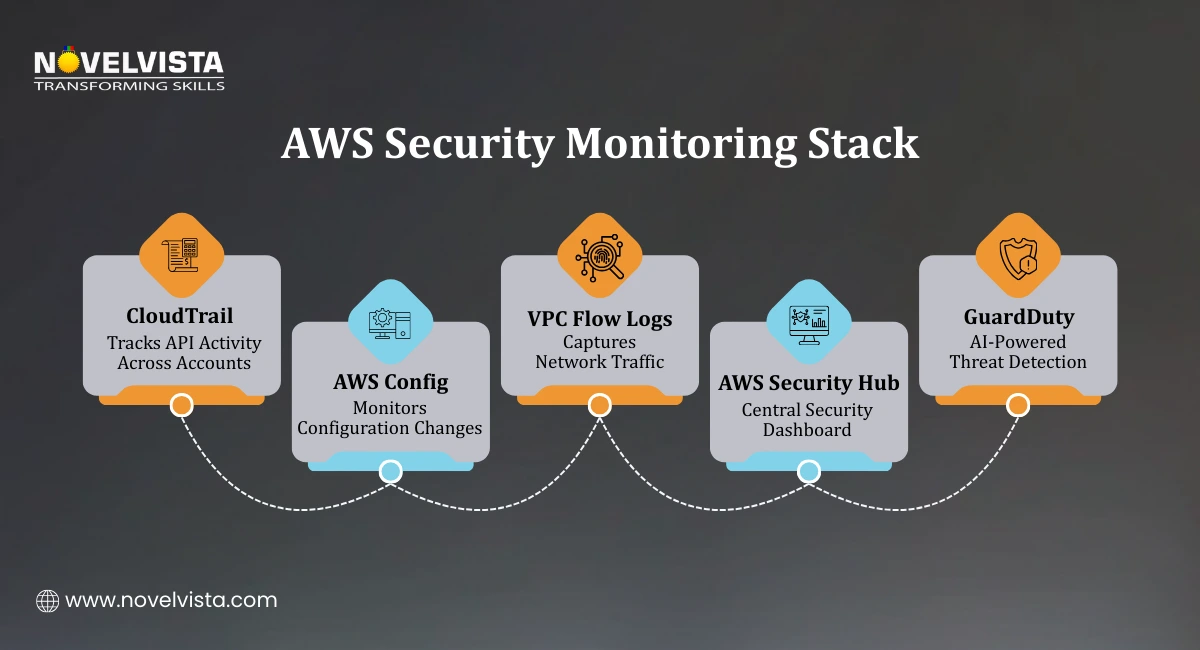
Cloud security is not achieved through a single control. It requires a combination of identity protection, network security, data encryption, monitoring, and automation.
Organizations that implement strong AWS Security Best Practices create cloud environments that are resilient against both accidental misconfigurations and deliberate attacks.
By focusing on:
Strong IAM controls
Encryption and secure data handling
Protected network architectures
Continuous monitoring
Automated threat detection
In cloud security training delivered to architects and DevOps teams, consistent implementation of these practices typically improves AWS security posture scores within the first 30–60 days of environment review..
With 76% of cloud breaches caused by misconfigurations, adopting consistent AWS Cloud Security Best Practices is essential for protecting modern cloud workloads.

Next Step: Build Practical AWS Architecture Skills
If you want to design secure cloud environments and apply these AWS Security Best Practices in real-world projects, NovelVista’s AWS Solution Architect Associate Certification Training provides hands-on learning with expert guidance. The program covers cloud architecture design, networking, security controls, and automation practices used in modern AWS environments. It helps professionals build the practical skills needed to secure, scale, and manage cloud infrastructure confidently.
Author Details

Course Related To This blog
AWS Certified AI Practitioner
AWS Certification
Confused About Certification?
Get Free Consultation Call
Stay ahead of the curve by tapping into the latest emerging trends and transforming your subscription into a powerful resource. Maximize every feature, unlock exclusive benefits, and ensure you're always one step ahead in your journey to success.