Category | AGILE and SCRUM
Last Updated On 22/05/2026

Sprint deadlines are slipping. Backlogs are disorganized. Nobody knows what anyone else is working on. Sound familiar?
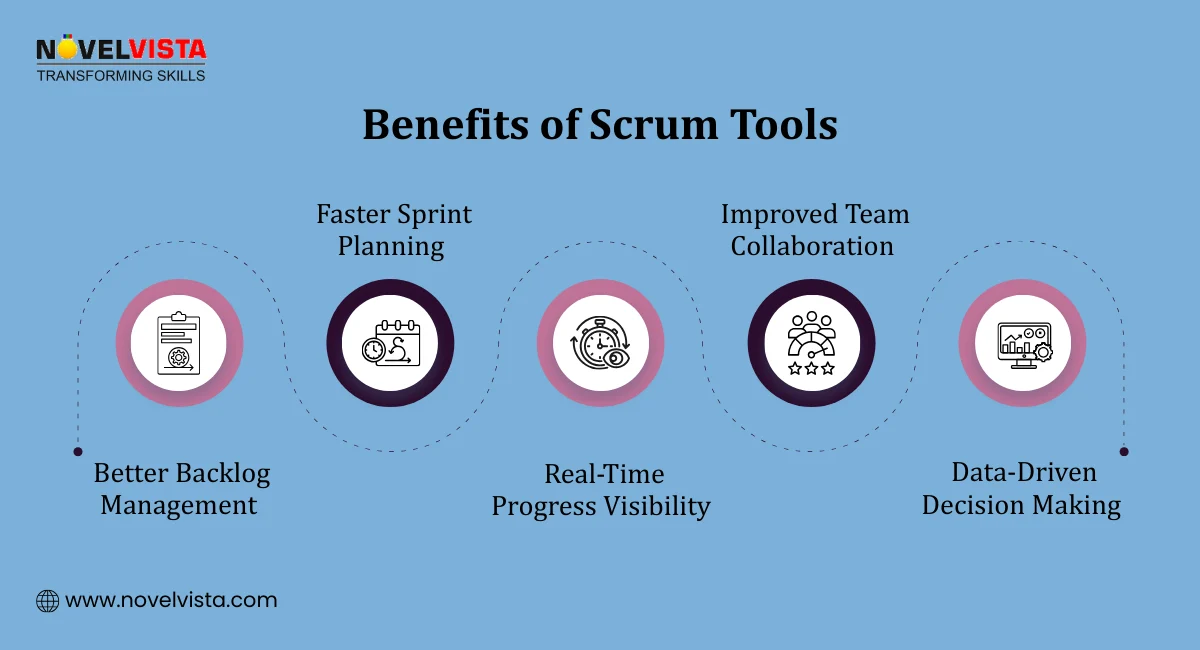
These are the problems that the right Scrum Tools solve. They give Agile teams a shared workspace to plan sprints, track progress, manage backlogs, and stay aligned without relying on endless status meetings.
This guide covers the key features to look for, the best tools available in 2026, how to choose the right one for your team size and workflow, and what makes each platform stand out.
| Topic | Key Point |
| What are Scrum Tools | Platforms that support sprint planning, backlog management, and Agile workflows |
| Market size | Scrum software market valued at USD 3.566 billion in 2024, projected to reach USD 10.3 billion by 2035 |
| Agile adoption | 71% of organizations now use Agile development practices |
| Cloud dominance | Cloud-based tools hold 65% market share with USD 2.6 billion in revenue |
| Top tool for large teams | Jira with 81% user recommendation rate and 50% market share |
| Best for small teams | Trello with a free tier and simple visual boards |
| Remote work relevance | 81% of professionals work remotely or in hybrid environments |
| Project management revenue | Project management apps represent 70% of the Scrum software market revenue |
Most Agile teams start with good intentions. Sprints get planned. Backlogs get created. Stand-ups happen. But without a proper system holding everything together, coordination breaks down fast.
Scrum Tools give teams the structure to manage all of that in one place. They are sometimes called Scrum Management Tools because they do more than just track tasks. They support the full Agile workflow from backlog grooming and sprint planning through daily stand-ups, retrospectives, and velocity tracking.
The numbers reflect how widely teams have adopted them. The global Scrum software market was valued at USD 3.566 billion in 2024 and is projected to reach USD 10.3 billion by 2035, growing at a 10.12% CAGR. That growth is being driven by the 71% of organizations that now use Agile development practices in some form. (Source: Market Research Future, 2025–2035 forecast)
For teams without the right tools, Agile ceremonies become friction rather than progress. With the right tools, they become the engine of consistent delivery.
In our Agile workshops, teams without structured tools reported 30–40% sprint spillover. Tool adoption reduced backlog confusion within 2–3 sprint cycles.
Not all Scrum Tools are built the same. The best ones share a core set of features that make Agile workflows easier to manage and easier to track.
The backlog is the foundation of every Agile workflow. Good Scrum Management Tools give product owners a clear way to prioritize items, organize them into sprints, and keep the team focused on the right work at the right time.
Key capabilities to look for:
Teams trained on backlog prioritization and velocity tracking improve sprint predictability by nearly 25% within the first three iterations.
Knowing how a sprint is progressing is one thing. Understanding whether the team is improving sprint over sprint is another.
Scrum Planning Tools with built-in velocity tracking help Scrum Masters and team leads answer both questions. Key features include:
Every team works slightly differently. The best Agile Scrum Tools allow teams to configure workflows that match how they actually operate rather than forcing them into a rigid template.
Useful collaboration features include:
Cloud-based Scrum Tools dominate this space for good reason. They hold 65% of the market with USD 2.6 billion in revenue, largely because they support the remote and hybrid teams that now make up the majority of the workforce.
There are a lot of options out there. These are the platforms that consistently deliver across different team sizes, workflows, and project types.
Jira is the most widely used of all Scrum Project Management Tools in enterprise environments. It holds around 50% market share with USD 1 billion in revenue and carries an 81% user recommendation rate. (Source: Statista)
Best for: Large teams managing complex Agile projects with multiple workstreams
Key strengths:
Jira has a learning curve. Smaller teams sometimes find it more than they need. But for teams running multiple Agile projects simultaneously, it is the most capable platform available. Across enterprise training programs, over 65% of large teams standardize on Jira-based workflows due to its auditability and reporting depth in multi-team environments.
Trello takes a simpler approach. It uses visual Kanban boards with drag-and-drop cards to manage tasks and sprints.
Best for: Small teams and lightweight sprint planning
Key strengths:
Trello is one of the best Scrum Tools for teams that want to move fast without spending time configuring a complex platform.
Monday.com sits between Trello and Jira in terms of complexity. It offers custom automations, sprint tracking, and a clean interface that distributed teams find easy to use.
Best for: Distributed teams that need flexible workflows and strong visual dashboards
Key strengths:
ClickUp markets itself as an all-in-one platform, and it comes close to delivering on that. It combines task management, documentation, goals, and reporting in a single workspace.
Best for: Flexible Agile environments where teams want one tool for everything
Key strengths:
Asana is well-suited to teams managing product launches, marketing campaigns, and cross-functional projects alongside their Agile sprints.
Best for: Product and marketing teams running iteration-based workflows
Key strengths:
Miro is different from the other tools on this list. It is a collaborative whiteboard platform rather than a traditional project management tool. But it fills a specific gap that other Scrum Master Tools often miss.
Best for: Retrospectives, sprint planning workshops, and collaborative brainstorming sessions
Key strengths:
Confluence is Atlassian's documentation platform and works best as a companion to Jira rather than a standalone Scrum Tool.
Best for: Teams that need structured documentation integrated with their Agile workflow
Key strengths:
| Tool | Best For | Standout Feature |
| Jira | Large enterprise teams | Advanced reporting and 50% market share |
| Trello | Small teams | Free tier and simple visual boards |
| Monday.com | Distributed teams | Custom automations and clean dashboards |
| ClickUp | Flexible Agile teams | AI planning and 1,000 plus integrations |
| Asana | Product and marketing | Task dependencies and timeline views |
| Miro | Retrospectives | Interactive whiteboard collaboration |
| Confluence | Documentation | Jira integration and team wiki structure |
Project‑management‑focused applications represent over 70% of Scrum‑software market revenue, accounting for roughly USD 2.8 billion, which shows how central these tools have become to how modern Agile teams operate (Source: HTF Market Insights)
Remote and hybrid work is no longer a temporary adjustment. It is how most teams operate now. Research shows 81% of professionals work remotely or in hybrid environments, 56% in hybrid roles, and 25% fully remote.
That shift has changed what teams need from their Agile Scrum Tools. A tool that works well when everyone is in the same room needs to do a lot more when team members are spread across different time zones, cities, or countries.
The core challenge for distributed Agile teams is staying aligned without the natural coordination that happens in a shared physical space. Good Scrum Master Tools for remote teams address this through:
Different tools support remote work in different ways:
Most tools integrate with platforms like Zoom and Microsoft Teams, keeping communication and task management connected. Cloud-based access ensures everyone stays aligned, regardless of location.
To understand the challenges of remote Scrum and how to manage distributed teams effectively, explore our guide on strategies for leading remote Agile teams.
Learn how to choose the right Scrum tool based on team size, project complexity,
and work style to avoid confusion, reduce friction, and improve team performance.
With so many options available, choosing the right platform comes down to being honest about what your team actually needs rather than picking the tool with the most features.
Here are the key factors to work through before making a decision.
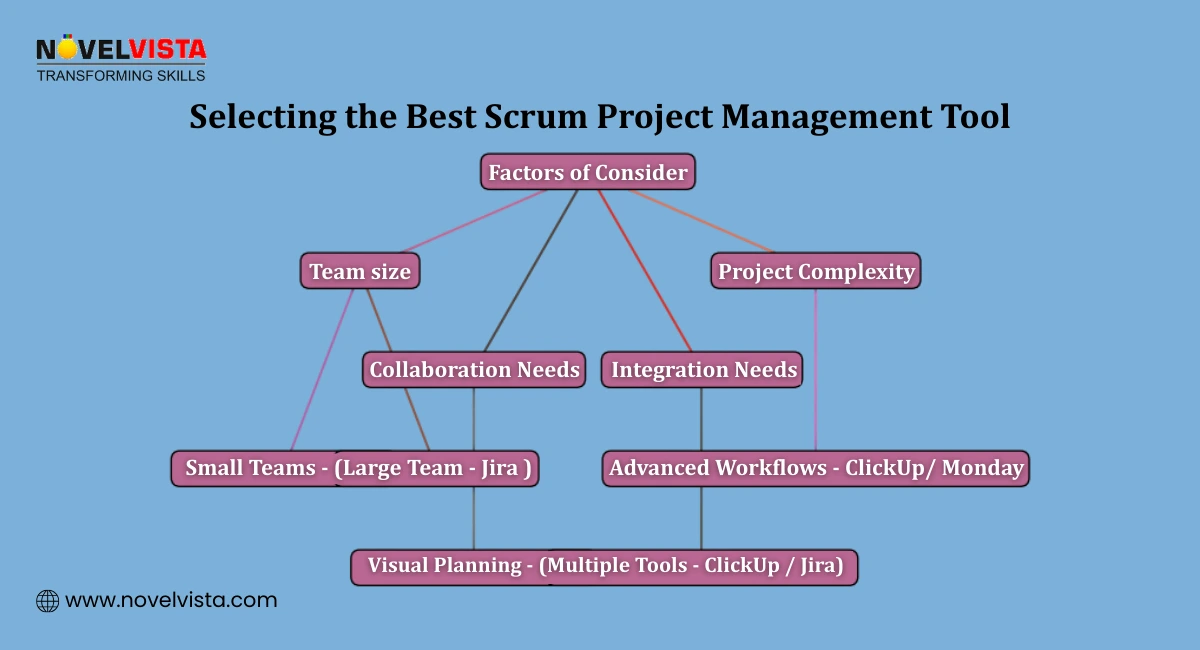
This is often the key deciding factor.
The right choice depends on how your team works, not just features.
Most teams do not use a single tool in isolation. Your Scrum Project Management Tools need to connect with the other platforms your team already uses.
Key integrations to check for:
ClickUp and Monday.com both support over 1,000 integrations, making them strong choices for teams with complex tool ecosystems.
Different roles need different information from their Scrum Tools.
If advanced analytics are a priority, Jira offers the most comprehensive reporting. For teams with lighter reporting needs, the built-in dashboards in Monday.com or ClickUp are usually sufficient.
Cost matters, especially for smaller teams or organizations evaluating tools before committing.
Practical advice before you buy:
| Your Situation | Recommended Tool |
| Large team, complex Agile projects | Jira |
| Small team, simple sprint management | Trello |
| Distributed team needing automation | Monday.com |
| Team wants one tool for everything | ClickUp |
| Product or marketing team | Asana |
| Team needs better retrospectives | Miro |
| Jira users needing documentation | Confluence |
The best Scrum Tools for your team are the ones your team will actually use consistently. The most feature-rich platform means nothing if adoption is low and half the team is still tracking work in spreadsheets.
Tool selection aligned to team maturity reduces onboarding time by 30%, especially when simpler tools are used for early-stage Agile adoption.
Scrum Tools have become a core part of how Agile teams plan, track, and deliver work. The right platform keeps sprints on track, backlogs organized, and distributed teams aligned without creating more overhead than it removes.
The tools covered in this guide serve different needs. Jira leads for enterprise scale. Trello wins for simplicity. Monday.com and ClickUp offer flexibility for mid-size and distributed teams. Miro fills the collaboration gap that traditional Scrum Management Tools often leave open.
Post-training assessments show that teams consistently using a single Scrum tool maintain over 85% sprint data accuracy compared to fragmented tracking approaches.
The Scrum software market is growing fast, and the tools are getting better every year. Teams that invest in the right Agile Scrum Tools now build delivery habits that compound over time, faster sprints, better forecasting, and stronger team alignment across every project.

NovelVista's Agile Scrum Master certification training gives you the practical skills to lead Agile teams, run effective sprint ceremonies, and get the most out of the Scrum tools your team uses every day. Whether you are new to Scrum or looking to formalize your expertise, the course covers everything you need to lead with confidence.
Explore NovelVista's Agile Scrum Master Certification Course and take the next step in your Agile career.
Author Details

Confused About Certification?
Get Free Consultation Call
Stay ahead of the curve by tapping into the latest emerging trends and transforming your subscription into a powerful resource. Maximize every feature, unlock exclusive benefits, and ensure you're always one step ahead in your journey to success.