Category | DevOps
Last Updated On 20/08/2026
Choosing the right CI/CD Tools in 2026 is less about finding the platform with the longest feature list and more about matching automation to your repositories, cloud environment, security model, delivery scale, and engineering maturity. This guide compares the leading options across pipeline configuration, build performance, deployment automation, GitOps, governance, integrations, and operational overhead so you can identify which platform actually fits your team.
The Best CI/CD Tools 2026 include mature platforms such as GitHub Actions, GitLab CI/CD, Jenkins, CircleCI, Azure DevOps Pipelines, Harness, TeamCity, Bitbucket Pipelines, Argo CD, and AWS CodePipeline with CodeBuild. Some are ideal for developer-led teams, others are better suited to regulated enterprises, and a few solve a narrower cloud-native or GitOps problem particularly well.
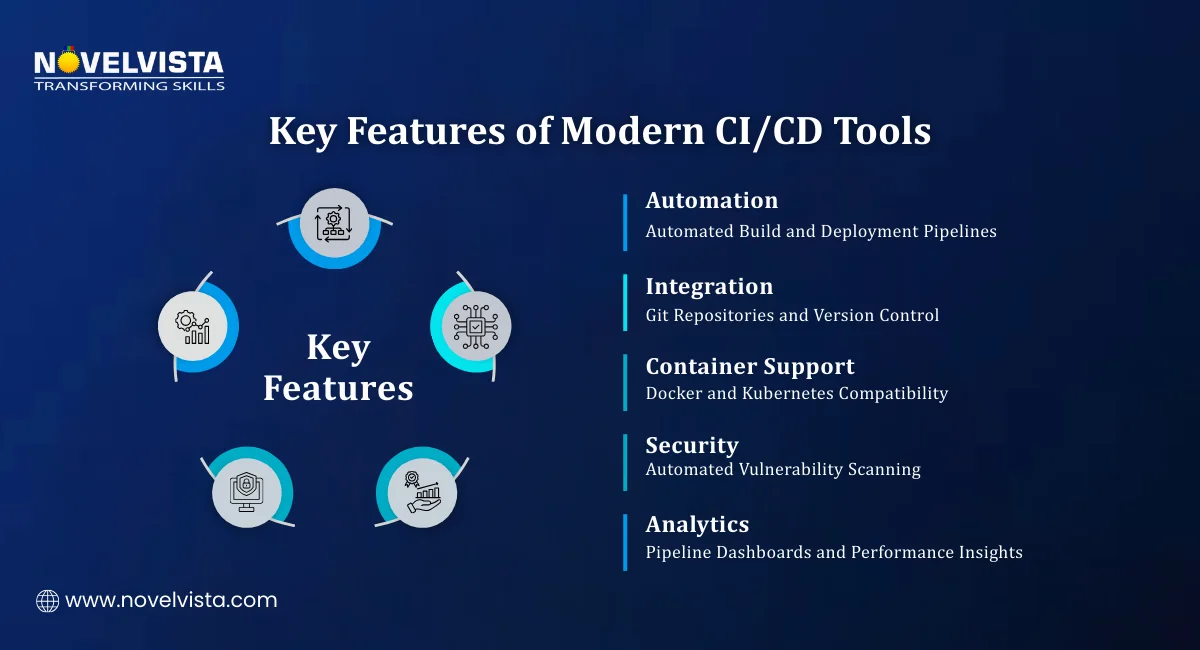
Teams looking for the Best CI CD Tools usually want to reduce manual handoffs between code commit and production release. If you're asking "What are CI CD Tools" in practical terms, think of them as the automation layer that turns a code change into a tested, traceable, deployable release. A modern platform can automate compilation, unit and integration testing, security checks, artifact packaging, environment promotion, deployment approvals, release strategies, rollback, and post-deployment feedback.
If you need a short refresher on the workflow itself, NovelVista's guide on What is CI/CD explains how continuous integration, continuous delivery, and continuous deployment fit together.
The most useful Tools for CI and CD also create a repeatable path from source control to production. That repeatability matters because a fast pipeline that depends on undocumented manual steps will eventually become difficult to scale, audit, or troubleshoot.
There is no universal winner. We evaluated the platforms using criteria that matter across small engineering teams and large enterprises:
The Top CI/CD Tools are therefore ranked by overall usefulness and fit, not by a single benchmark or marketing claim.
| Rank | Tool | Deployment Model | Best For | Major Strength | Main Consideration |
|---|---|---|---|---|---|
| 1 | GitHub Actions | SaaS + self-hosted runners | GitHub-centric teams | Native repository automation and marketplace | Costs and workflow sprawl can grow at scale |
| 2 | GitLab CI/CD | SaaS + self-managed | Integrated DevSecOps | Repository-to-deployment workflow in one platform | Broader platform can be more than smaller teams need |
| 3 | Jenkins | Self-hosted | Maximum control | Huge plugin ecosystem and flexibility | Maintenance and plugin governance |
| 4 | CircleCI | SaaS + self-hosted runners | Fast cloud-native builds | Parallelism, caching, and developer feedback | Advanced use can increase spend |
| 5 | Azure DevOps Pipelines | SaaS + self-hosted agents | Microsoft and Azure environments | Enterprise controls and Azure ecosystem fit | Interface and service breadth can feel complex |
| 6 | Harness | SaaS + delegates | Enterprise delivery governance | Verification, governance, deployment strategies | Best value appears in more mature delivery environments |
| 7 | TeamCity | Cloud + on-premises | Complex enterprise builds | Build chains, Kotlin DSL, detailed configuration | Administration requires platform knowledge |
| 8 | Bitbucket Pipelines | SaaS + self-hosted runners | Atlassian teams | Native Bitbucket integration | Most compelling inside Bitbucket-centered workflows |
| 9 | Argo CD | Self-hosted / managed through vendors | Kubernetes GitOps | Declarative delivery and drift reconciliation | Primarily CD, not a full conventional CI system |
| 10 | AWS CodePipeline + CodeBuild | AWS managed services | AWS-native workloads | Deep AWS service and IAM integration | Less attractive for strongly multi-cloud teams |
The ranking favors practical fit over novelty. A mature platform with predictable operations, strong controls, and skills already present in your team can be a better choice than a newer product with more headline features. Treat the order as a starting point, then validate the shortlist against a real repository and deployment environment.
GitHub Actions is the strongest default when your code already lives on GitHub. With GitHub Actions, workflows sit beside the repository, events such as pushes and pull requests can trigger jobs, and reusable actions reduce custom scripting. GitHub-hosted runners suit standard workloads, while self-hosted runners provide control over hardware, networking, and installed software.
Best for: GitHub-first teams, SaaS products, and open-source projects.
Strengths
Limitations
GitLab CI/CD combines repositories and automation in one platform. Using GitLab CI/CD, pipelines are defined in .gitlab-ci.yml, jobs execute through runners, and teams can choose GitLab.com, self-managed GitLab, or GitLab Dedicated depending on their control requirements.
Best for: Teams seeking an integrated DevSecOps workflow.
Strengths
Limitations
Jenkins remains relevant because teams can control nearly every part of the automation stack. Jenkins supports Pipeline as Code through a Jenkinsfile, while multibranch pipelines help manage jobs across branches. Its plugin ecosystem supports a huge range of build, test, cloud, and deployment integrations.
Best for: Enterprises with custom builds, on-premises systems, or legacy integration needs.
Strengths
Limitations
Jenkins is often a control-first choice, so evaluate total operating cost, not only license cost.
CircleCI focuses on fast feedback through test splitting, parallel execution, caching, Docker-oriented workflows, and self-hosted runners. Teams using CircleCI can also work with reusable Orbs that package common configuration and integrations.
Best for: Cloud-native teams with long or test-heavy builds.
Strengths
Limitations
Azure Pipelines fits enterprises already invested in Microsoft development and cloud services. Azure DevOps Pipelines supports YAML pipelines, hosted and self-hosted agents, protected resources, approvals, checks, service connections, and deployment environments. Resource owners can restrict access to sensitive environments and infrastructure.
Best for: Azure workloads, Microsoft-heavy enterprises, and regulated teams.
Strengths
Limitations
Among CI/CD Pipeline Tools, Azure Pipelines is especially strong when release governance is non-negotiable.
Harness is designed for organizations that need sophisticated CI and delivery controls. Harness Continuous Integration supports workflows that build and publish artifacts, while its broader continuous delivery capabilities support structured deployment stages, progressive strategies, policy controls, and continuous verification.
Best for: Larger engineering organizations with complex release environments.
Strengths
Limitations
TeamCity remains a strong option for complex build engineering. TeamCity supports Kotlin DSL configuration as code, and build chains connect pipelines through snapshot and artifact dependencies.
Best for: Enterprises with complex build graphs and teams that value detailed configuration.
Strengths
Limitations
Bitbucket Pipelines is integrated directly into Bitbucket Cloud. With Bitbucket Pipelines, teams use bitbucket-pipelines.yml for repository-level automation and can run workloads in Atlassian's cloud or on self-hosted runners, while Pipes package common third-party integrations.
Best for: Teams standardized on Bitbucket and the Atlassian ecosystem.
Strengths
Limitations
Argo CD is different from most products here because it is a declarative GitOps continuous delivery tool for Kubernetes. With Argo CD, Git stores the desired application state, and the platform compares that state with the cluster so deployments stay synchronized and auditable.
Best for: Kubernetes platform teams adopting GitOps.
Strengths
Limitations
This distinction matters when comparing CI/CD Pipeline Tools. Argo CD should not be evaluated as if it were a conventional all-in-one CI server.
AWS CodePipeline orchestrates release workflows through stages and actions, while CodeBuild provides managed build and test execution. Teams can use AWS CodePipeline for workflow orchestration and AWS CodeBuild for managed build execution, with both services integrating naturally with AWS services and IAM-based controls.
Best for: Applications and operational controls centered on AWS.
Strengths
Limitations
Along with the above top CI/CD tools, Aikido Security is a modern developer-first platform designed to secure applications across the entire software development lifecycle. It combines multiple security capabilities into one unified platform, helping teams integrate security directly into CI/CD pipelines without slowing development.
When comparing platforms, separate product features from operational fit. A feature may exist in several products, but the effort required to govern and maintain it can vary significantly.
| Evaluation Area | Questions to Ask |
|---|---|
| Hosting | Do you need SaaS, self-hosted, or a hybrid execution model? |
| Configuration | Does your team prefer YAML, a DSL, UI configuration, or a combination? |
| Build performance | Can the platform parallelize tests, cache dependencies, and scale runners efficiently? |
| Deployment | Do you need basic deployment, approvals, progressive delivery, or GitOps? |
| Kubernetes | Is Kubernetes one target among many, or the center of your platform strategy? |
| Security | How are secrets, runners, tokens, permissions, and third-party actions controlled? |
| Governance | Can you enforce templates, policies, approvals, and audit requirements? |
| Observability | Can teams quickly identify which stage failed and why? |
| Integrations | Does it fit your repositories, artifact registries, clouds, and monitoring stack? |
| TCO | What will licensing, compute, runner management, maintenance, and administration cost together? |
Open-source software can reduce licensing cost, but that does not automatically make it cheaper to operate. With Jenkins, for example, your team owns the infrastructure, upgrades, plugin compatibility, availability, backups, and security posture. Managed commercial platforms move more of that burden to the vendor but typically charge for users, compute, credits, runners, or enterprise features.
A practical TCO review should include:
Open source makes sense when customization and control create real business value. Managed services make sense when engineering time is better spent on products than on maintaining CI infrastructure.
Start with your development environment, not a generic feature checklist.
GitHub Actions naturally fits GitHub repositories, GitLab CI/CD suits GitLab-centered workflows, and Bitbucket Pipelines fits Atlassian teams. Azure-heavy organizations should evaluate Azure Pipelines, AWS-native teams should consider CodePipeline with CodeBuild, and Kubernetes platform teams should assess Argo CD as the delivery layer.
A startup may prioritize fast setup and low administration. A regulated enterprise may care more about approvals, auditability, private networking, protected resources, policy enforcement, and runner control.
Simple applications may need only build, test, package, and deploy stages. Microservice platforms may require reusable templates, coordinated releases, progressive delivery, multi-cluster deployment, rollback automation, and deeper observability.
Automation affects availability, recovery, change failure rate, and operational load. Understanding DevOps vs SRE helps teams clarify responsibility for delivery speed, reliability engineering, and production safeguards.
| Use Case | Recommended Option | Why |
|---|---|---|
| GitHub-centric development | GitHub Actions | Native events, repositories, actions, and pull request workflows |
| Integrated DevSecOps | GitLab CI/CD | Broad lifecycle coverage in one platform |
| Maximum customization | Jenkins | Deep extensibility and infrastructure control |
| Fast test-heavy pipelines | CircleCI | Parallelism, caching, and test splitting |
| Microsoft enterprise environment | Azure DevOps Pipelines | Governance and Azure ecosystem alignment |
| Advanced enterprise delivery | Harness | Verification, policy, and deployment strategy depth |
| Complex build engineering | TeamCity | Build chains and configuration depth |
| Atlassian ecosystem | Bitbucket Pipelines | Native Bitbucket workflow |
| Kubernetes GitOps | Argo CD | Declarative Kubernetes continuous delivery |
| AWS-native environment | AWS CodePipeline + CodeBuild | Managed integration with AWS services |
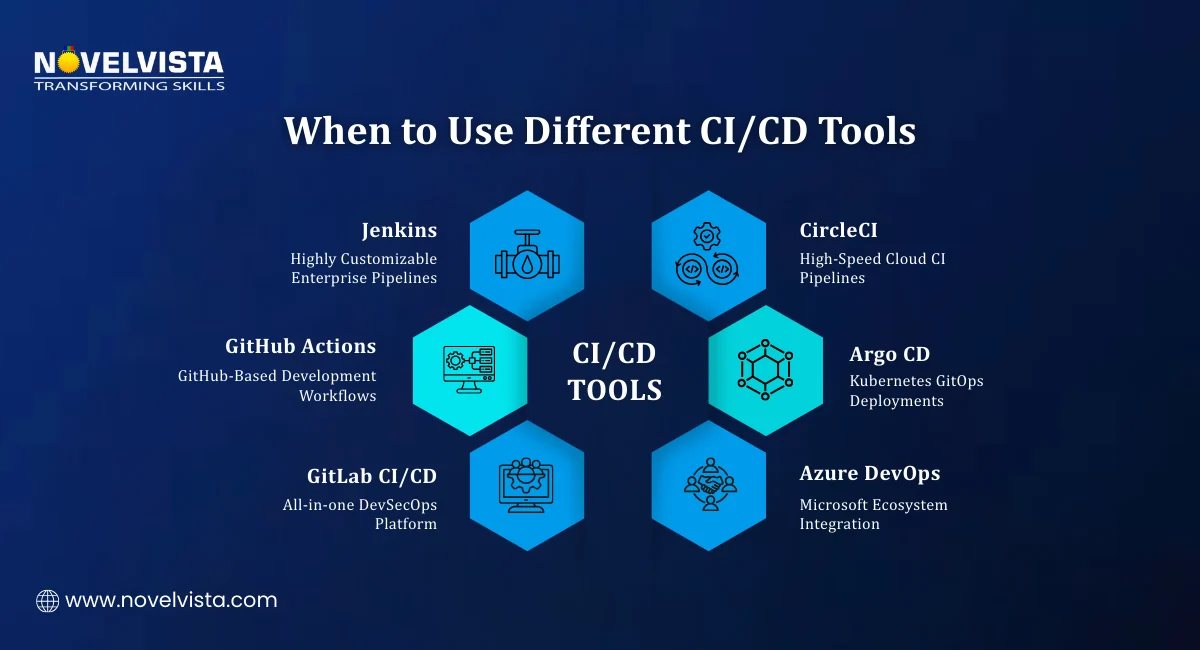
Tool selection in 2026 is increasingly shaped by what happens around the basic build and deploy stages.
Platforms are adding automation around failure analysis and deployment health. Harness, for example, documents continuous verification that uses monitoring data and machine learning to identify anomalies and support automated rollback when verification fails.
Runner isolation, protected resources, trusted templates, secrets handling, artifact integrity, and policy enforcement are becoming core pipeline concerns. The delivery system itself must be treated as part of the security boundary.
Kubernetes teams are increasingly separating build automation from declarative delivery. At the same time, platform engineering teams are creating reusable templates, actions, policies, and approved deployment paths instead of letting every application invent its own process.
Fast deployment is valuable only when production remains stable. Teams building stronger operational practices can complement DevOps knowledge with an SRE Foundation Certification to connect automation with reliability, service objectives, and incident practices.
The Top CI/CD Tools will increasingly be those that improve developer flow while giving security, platform, and operations teams enough control to manage risk.

These ten platforms are not interchangeable. GitHub Actions is a strong default for GitHub-centric development, GitLab CI/CD suits teams looking for an integrated DevSecOps platform, Jenkins remains valuable when deep customization is essential, and CircleCI is attractive when build speed is a priority. Azure DevOps Pipelines and AWS CodePipeline fit naturally into their respective cloud ecosystems, while Harness serves complex enterprise delivery and Argo CD is a strong choice for Kubernetes GitOps.
The right CI/CD Tools should make software delivery faster, safer, easier to repeat, and easier to understand. Before choosing, run a proof of concept with a real application, measure build and deployment time, test security controls, calculate total operating cost, and ask the developers who will use the platform every day.
Tooling alone will not create a high-performing DevOps culture. Teams also need shared practices around collaboration, automation, feedback, measurement, security, and continuous improvement. If you want to strengthen those foundations alongside hands-on delivery automation, explore NovelVista's DevOps Foundation Certification to build a structured understanding of modern DevOps principles and practices.
Author Details

Course Related To This blog
SRE Foundation and SRE Practitioner combo
SRE Practitioner
Certified DevOps Master
DevOps Practitioner + Agile Scrum Master
DevOps + ASM + CASPO Combo Course
Certified DevOps Engineer
SRE Foundation
DevOps Practitioner Certification
DevOps Master Certification
DevOps Foundation By DOI
Confused About Certification?
Get Free Consultation Call
Stay ahead of the curve by tapping into the latest emerging trends and transforming your subscription into a powerful resource. Maximize every feature, unlock exclusive benefits, and ensure you're always one step ahead in your journey to success.