Category | DevOps
Last Updated On 10/07/2026
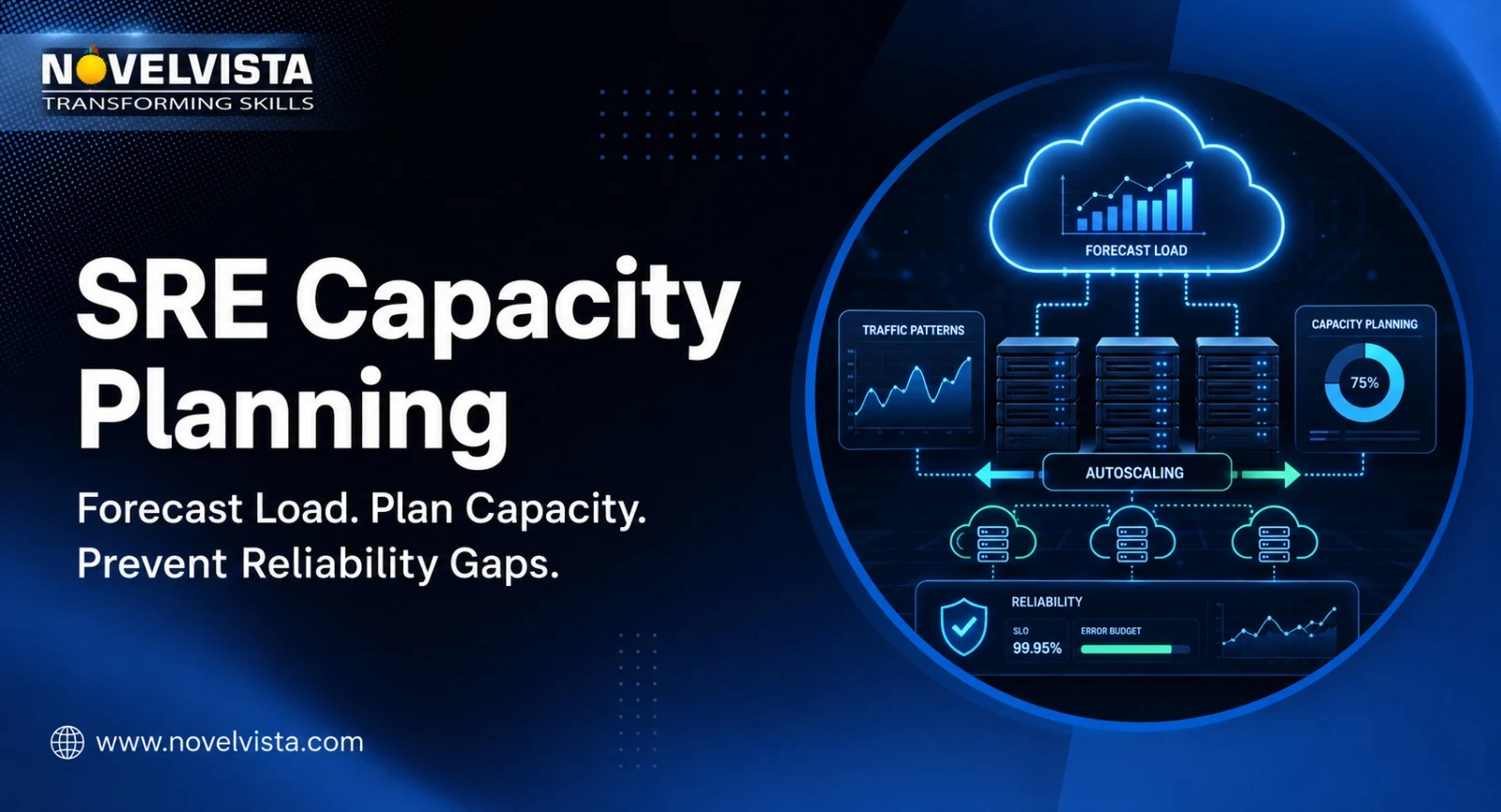
Modern systems rarely fail only because traffic increased. They fail because traffic increased faster than teams expected, a dependency reached saturation, autoscaling reacted too late, or infrastructure was planned around average usage instead of real peak demand. This guide explains how SRE Capacity Planning helps teams forecast load, plan infrastructure capacity, set safe headroom, avoid under-provisioning, reduce over-provisioning, and build a repeatable process that supports reliability without wasting cloud budget.
For SRE teams, capacity is not just a cloud billing topic. It is part of reliability engineering. A service that has too little capacity can slow down, drop requests, breach SLOs, or trigger incidents. A service with too much capacity may stay available but quietly burn money every month. The real goal is to find the right operating point: enough capacity to serve users confidently, enough efficiency to avoid waste, and enough flexibility to handle unexpected demand.
SRE Capacity Planning is the practice of estimating current and future infrastructure needs so a service can remain scalable, reliable, and cost-efficient under expected and unexpected demand.
A common mistake is to confuse capacity planning with resource provisioning. Resource provisioning is about assigning resources today, such as CPU, memory, storage, network bandwidth, nodes, pods, databases, queues, or replicas. Capacity planning is broader. It asks whether those resources will still be enough next week, next quarter, during a launch, during a regional failover, or after user growth changes the shape of demand.
Good SRE Capacity Planning answers questions like:
The best teams treat capacity as a living reliability practice. They measure it, forecast it, test it, review it, and adjust it as product behavior changes.
Capacity planning without SLO context often becomes guesswork. A team may see 65% CPU utilization and assume everything is fine, while users are already experiencing slow checkout, delayed search results, or failed API calls. That is why Capacity Planning SRE work should start with service-level objectives, service-level indicators, and the user journeys that matter most.
SLOs define what reliable service means from a user or business point of view. For example:
Once SLOs are clear, capacity planning can focus on the resources that protect those outcomes. CPU, memory, IOPS, and bandwidth still matter, but they are not enough by themselves. SRE teams also need to monitor latency, traffic, errors, and saturation. These four signals give a stronger view of whether capacity is supporting real user experience.
If latency rises as traffic grows, the system may be nearing saturation. If errors increase during peak periods, the service may be under-provisioned or dependent on a weaker downstream system. If saturation is high but user-facing metrics are still healthy, the team may have a narrow window to act before customers feel the impact.
Reliable capacity plans come from clean inputs. The more realistic your data, the less likely your plan will be based on assumptions.
Start with demand. This includes requests per second, concurrent users, active sessions, API calls, event volume, messages per queue, batch workloads, and traffic by region or customer segment.
Peak demand deserves special attention. Average traffic hides risk. A service that runs smoothly at average load may fail during payroll processing, month-end reporting, festive sales, release announcements, or marketing campaigns.
Resource signals show where pressure is building. Common metrics include:
SRE Capacity Planning works best when these metrics are mapped to individual service components. A web layer, database, cache, queue, and third-party dependency will rarely scale in the same way.
Capacity data should also include incidents, deployment history, maintenance windows, rollback patterns, throttling events, timeout rates, and dependency failures. These signals show how the system behaves under stress, not just how it behaves on a calm weekday.
For incident-heavy services, capacity reviews should connect with runbooks and response workflows. A good SRE Playbook helps teams act faster when capacity assumptions fail during production pressure.
Forecasting is where teams turn historical usage into future expectations. Capacity Planning SRE workflows usually combine historical trends, business inputs, seasonality, and engineering judgment.
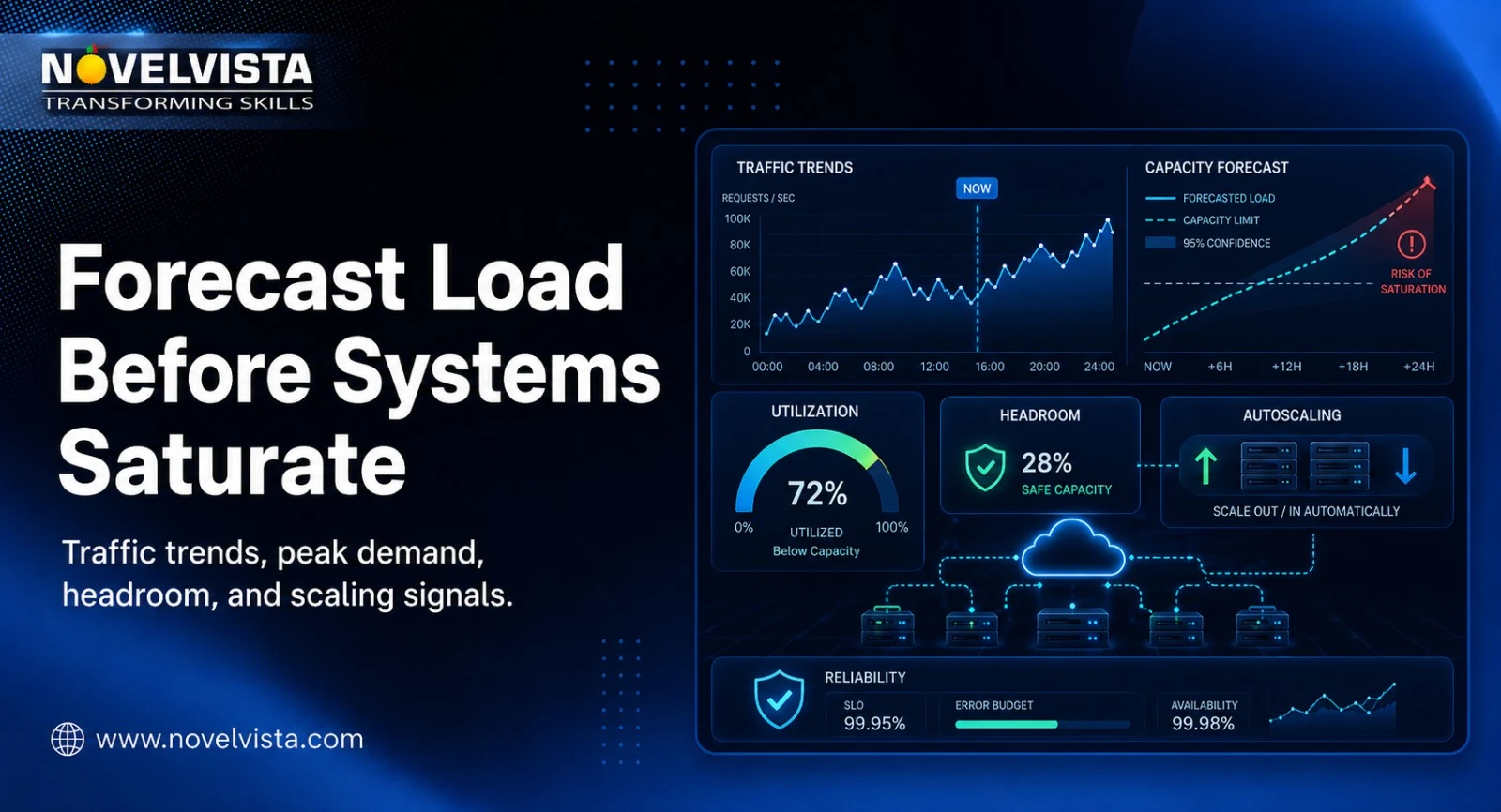
Start by reviewing at least several weeks or months of traffic, resource usage, and user behavior. Look for:
Historical data helps teams understand the baseline. But it should never be the only input.
Peak periods often reveal capacity problems that averages hide. A SaaS platform may peak during business hours. An e-commerce platform may peak during sales. A learning platform may peak before exams or certification deadlines. A banking platform may peak around salary days.
The capacity plan should identify the true peak window and estimate whether current infrastructure can handle it with safe headroom.
Organic growth is gradual. It may come from more users, more transactions, or more data over time. Inorganic growth is event-driven. It may come from a product launch, merger, migration, campaign, new region, enterprise customer onboarding, or regulatory deadline.
Both matter, but they require different planning. Organic growth can often be handled through trend-based forecasting. Inorganic growth requires direct communication with product, sales, marketing, finance, and leadership teams.
A useful plan should include multiple horizons:
| Forecast horizon | Best used for | SRE focus |
|---|---|---|
| Weekly | Release readiness and short-term spikes | Confirm near-term headroom |
| Monthly | Growth tracking and usage shifts | Adjust scaling rules and limits |
| Quarterly | Budgeting and infrastructure planning | Plan reserved capacity and architecture changes |
| Yearly | Strategic platform growth | Evaluate regional expansion, major migrations, and redesign needs |
The shorter the horizon, the more operational the plan becomes. The longer the horizon, the more architecture and budget decisions matter.
Planning infrastructure capacity is about choosing the right amount of room to operate safely. Running too close to the edge creates risk. Running far above demand creates waste.
Target utilization is the safe operating range for a resource. It should not be 100%. Many systems degrade before hitting full usage. Memory exhaustion can crash processes. CPU pressure can increase latency. Disk I/O saturation can slow databases. Network saturation can trigger timeouts.
A practical target depends on workload type. Low-latency user-facing systems usually need more headroom. Batch workloads may tolerate higher utilization if they can run later or at lower priority.
Headroom is extra capacity kept available for traffic spikes, failures, retries, deployments, or sudden demand. The right amount depends on service criticality, scaling speed, redundancy model, and user impact.
For example, a service that takes 20 minutes to provision new nodes needs more headroom than a stateless service that can scale in seconds. A payment service needs more conservative planning than an internal reporting job.
Redundancy changes capacity math. If a system must survive the loss of one zone or one region, remaining components must have enough capacity to serve traffic during failover. It is not enough to say, “We have replicas.” The question is whether surviving replicas can handle the load without breaching SLOs.
For distributed systems, also consider recovery load. When a failed replica comes back, it may need to catch up on missed writes or rebuild state. That recovery can create extra pressure on healthy replicas.
Cloud platforms make it easy to scale, but elastic capacity still needs rules. Teams should decide what capacity is always-on, what can be autoscaled, what should be reserved for cost savings, and what should be temporary for peak events.
| Capacity decision | Reliability impact | Cost impact | Recommended SRE action |
|---|---|---|---|
| Low headroom | Higher outage risk | Lower short-term cost | Use only for non-critical workloads |
| High headroom | Stronger peak protection | Higher recurring cost | Use for critical, low-latency services |
| Autoscaling only | Flexible but reactive | Efficient when tuned well | Test scaling speed and upper limits |
| Reserved capacity | Predictable baseline | Lower cost for steady workloads | Use for known minimum demand |
| Burst capacity | Good for campaigns and launches | Temporary cost increase | Pre-plan and remove after event |
A repeatable framework keeps planning from becoming a one-time spreadsheet exercise.
Start with the service boundary. Identify the user journeys that matter most, such as login, checkout, search, payment, report generation, or API ingestion.
List every major component: frontend, backend, database, cache, queue, object storage, third-party API, DNS, CDN, and regional infrastructure. Dependencies often become the hidden bottleneck.
Measure current resource usage during normal load, peak load, deployment windows, and incident periods. Use percentiles, not just averages.
Find the component that fails first or slows down earliest. That component controls practical capacity.
Combine historical trend data with product and business inputs. Include both steady growth and event-based spikes.
Do not apply one capacity percentage everywhere. Critical user-facing components, write-heavy databases, and asynchronous jobs need different planning.
Load tests show performance under demand. Failure tests show whether redundancy assumptions are true. Both should be run before major launches, migrations, or architecture changes.
SRE Capacity Planning should be reviewed regularly. For fast-growing systems, monthly reviews may be needed. For stable systems, quarterly reviews may be enough. The review should produce decisions, not just dashboards.
The most common mistake is planning from average usage. Average CPU, average memory, and average traffic do not show peak pressure. Teams should review percentiles, burst patterns, and saturation windows.
Another mistake is ignoring dependencies. Your application may have enough capacity, but your database, cache, payment gateway, identity provider, or message broker may not.
Teams also overtrust autoscaling. Autoscaling helps, but it is not instant magic. It can react too slowly, hit quota limits, scale the wrong layer, or increase pressure on a downstream dependency.
Some teams plan only for steady state. That leaves them exposed during maintenance, failover, recovery, data backfills, migrations, or large customer onboarding.
Finally, many teams overcorrect after incidents. They add excessive capacity after a painful outage, then carry inflated cost for months. A better response is to identify the real bottleneck, update forecasts, improve tests, and tune capacity with evidence.
Better tooling does not replace engineering judgment, but it makes planning more accurate.
Useful tools and practices include:
A strong Capacity Planning SRE practice also includes documentation. Teams should record assumptions, planned headroom, known bottlenecks, scaling limits, failover behavior, and the owner for each action.
Use this checklist before a major launch, migration, seasonal peak, or quarterly platform review.
| Checklist item | Owner | Frequency | Output |
|---|---|---|---|
| Confirm SLOs and critical journeys | SRE and product | Quarterly | Updated reliability targets |
| Review peak traffic and growth | SRE | Monthly | Demand forecast |
| Identify saturation points | SRE and engineering | Monthly | Bottleneck list |
| Validate dependency capacity | Engineering | Before major release | Dependency readiness status |
| Test autoscaling rules | SRE | Before launch | Scaling validation report |
| Confirm failover capacity | SRE and platform | Quarterly | Redundancy readiness |
| Review cloud cost impact | SRE and FinOps | Monthly | Cost and capacity tradeoff |
| Update runbooks | SRE | After every major change | Operational readiness |
This checklist keeps capacity discussions practical. It also creates shared ownership across engineering, product, platform, and finance teams.
Capacity planning is not only a tooling task. It requires a blend of observability, architecture, automation, incident response, SLO design, and cost awareness. The best SRE professionals understand both the technical behavior of systems and the business impact of reliability decisions.
For example, knowing how to read saturation metrics is useful. Knowing how that saturation affects checkout success, customer experience, error budgets, and infrastructure cost is far more valuable.
Structured SRE learning helps professionals understand these connections. It gives teams a shared vocabulary for reliability, capacity, risk, automation, incident response, and continuous improvement. That shared understanding is especially useful when teams are moving from reactive operations to proactive reliability engineering.
A mature Capacity Planning SRE culture does not wait for outages to justify capacity decisions. It uses data, testing, and service goals to make those decisions before users are affected.

SRE Capacity Planning helps teams forecast load, plan infrastructure capacity, and avoid the two extremes that hurt modern systems: under-provisioning that causes slowdowns and outages, and over-provisioning that wastes budget. The right approach starts with SLOs, studies real demand patterns, measures saturation, plans safe headroom, validates assumptions through testing, and reviews capacity as services evolve.
For professionals and teams that want to strengthen their reliability engineering foundation, NovelVista’s SRE Foundation Certification offers a structured way to understand SRE principles, service reliability, incident response, automation, monitoring, and capacity-focused thinking. With the right SRE skills, capacity planning becomes more than infrastructure sizing. It becomes a practical way to protect user experience while keeping systems scalable and cost-aware.
Author Details

Course Related To This blog
SRE Foundation and Practitioner Combo
SRE Certification Course
SRE Foundation and SRE Practitioner combo
SRE Practitioner
SRE Foundation
Confused About Certification?
Get Free Consultation Call
Stay ahead of the curve by tapping into the latest emerging trends and transforming your subscription into a powerful resource. Maximize every feature, unlock exclusive benefits, and ensure you're always one step ahead in your journey to success.