Category | AI And ML
Last Updated On 22/05/2026
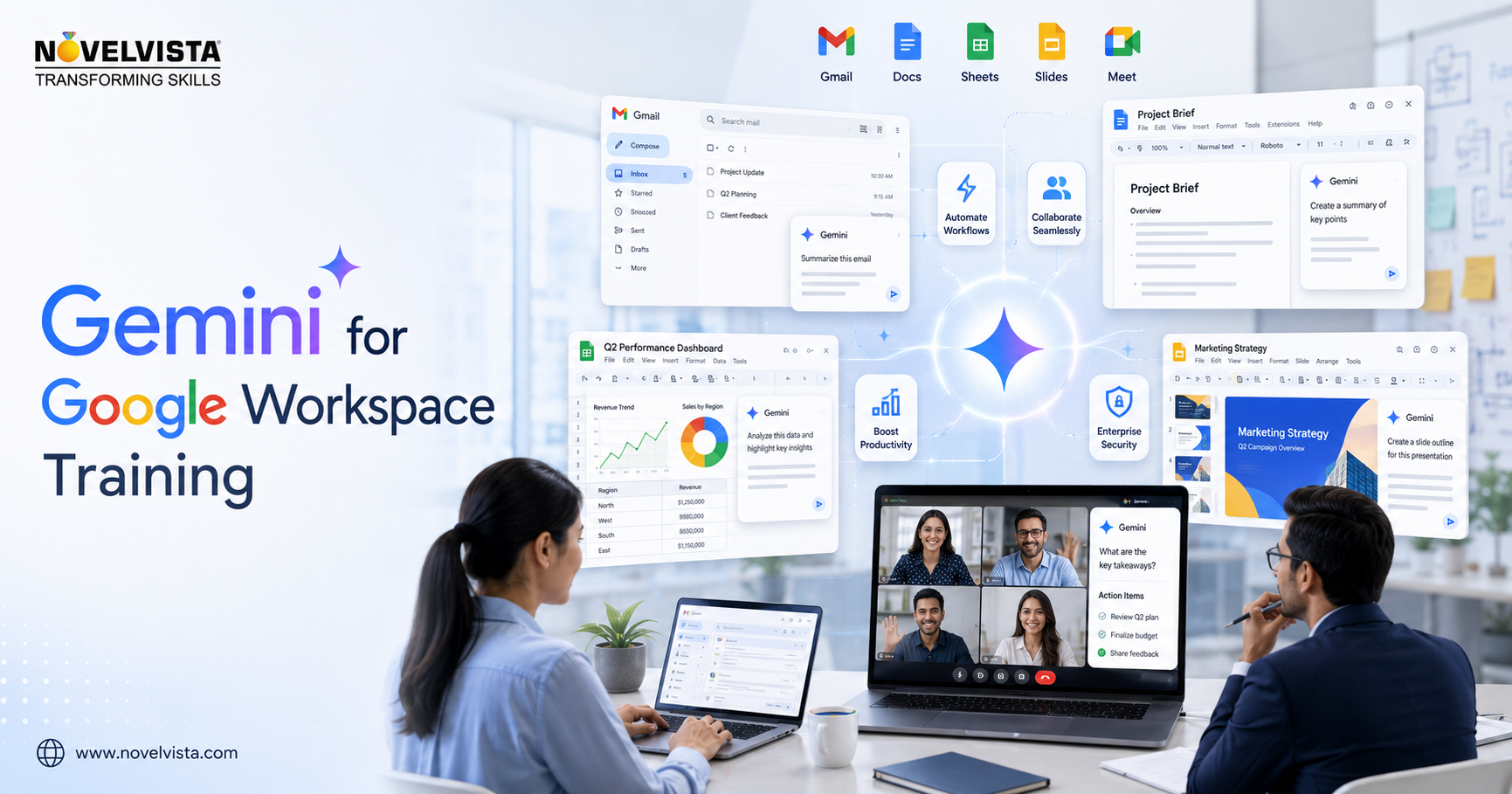
This blog explains how L&D leaders can use Gemini Google Workspace training to improve workforce productivity without turning AI adoption into a scattered tool experiment. We will cover productivity use cases, role-based learning paths, governance, measurement metrics, adoption challenges, and a practical rollout roadmap for Gemini for business teams.
As Google adds Gemini capabilities across Gmail, Docs, Sheets, Slides, Meet, Drive, Chat, Vids, the Gemini app, and NotebookLM, employees need more than feature awareness. They need guided practice, responsible prompt habits, workflow redesign, and clear boundaries for enterprise data use.
Gemini is becoming part of the daily productivity layer for many Google Workspace users. For L&D teams, that shift changes the training brief. The goal is no longer to teach employees another standalone AI tool. The goal is to help employees improve the way they write, analyze, summarize, meet, search, plan, and collaborate inside the tools they already use.
That is where Gemini Google Workspace training becomes commercially important. Employees may see Gemini buttons in Gmail, Docs, Sheets, Slides, Drive, Chat, Meet, Vids, and the Gemini app, but visibility does not automatically create value. People need use-case practice, prompt frameworks, review discipline, and confidence.
Strong Gemini Google Workspace training helps employees move from curiosity to repeatable productivity habits. It also helps L&D teams standardize AI tools employee productivity goals across departments instead of letting every team invent its own approach.
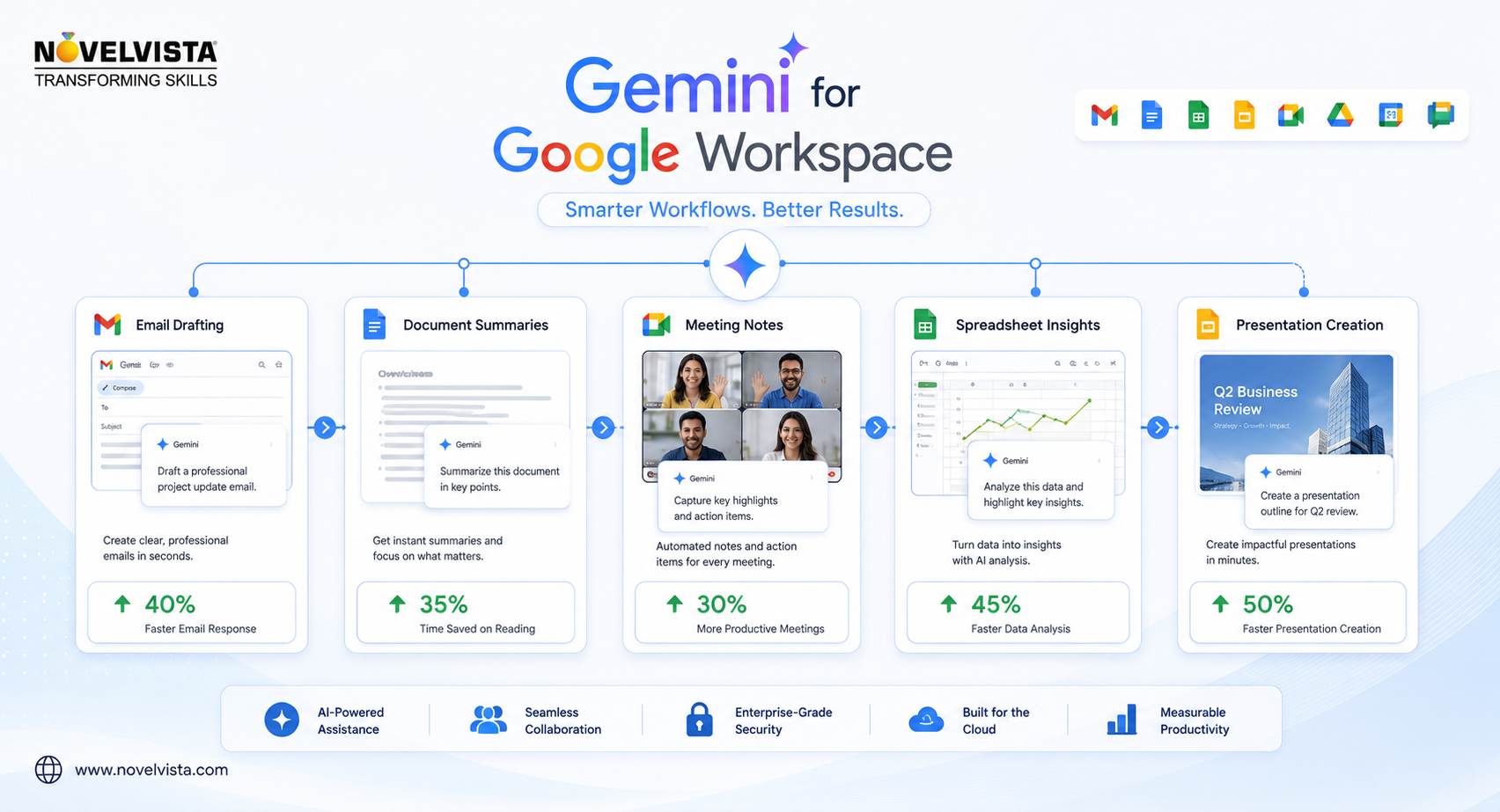
For L&D teams, Gemini Google Workspace training is the bridge between AI access and accountable performance improvement.
Before launching Gemini Google Workspace training, L&D leaders should separate tool access from capability building. Giving employees access to Gemini is only the first step. Building a measurable productivity lift requires a structured enablement engine.
Gemini Google Workspace training should answer these questions with role-based scenarios. A sales team does not need the same practice as HR, finance, or IT operations. Generic demos create excitement; workflow-based labs create business value.
At scale, Gemini Google Workspace training should also define what good output looks like for each role.
Gemini for business teams is useful because it sits close to everyday work. Instead of asking employees to leave their workflow, it helps them draft, refine, summarize, compare, organize, and create inside Workspace applications.
| Workspace Area | Productivity Use Case | Training Focus | Business Outcome |
|---|---|---|---|
| Gmail | Draft replies, summarize long threads, improve tone, convert notes into polished communication. | Prompt clarity, tone control, review before sending. | Faster communication and fewer follow-up loops. |
| Docs | Create first drafts, rewrite content, summarize policies, prepare meeting briefs. | Fact-checking, document structure, version review. | Reduced blank-page time and stronger documentation. |
| Sheets | Create trackers, summarize data, generate formula guidance, organize project information. | Data validation and spreadsheet interpretation. | Improved reporting speed and cleaner project tracking. |
| Slides | Create presentation outlines, generate visuals, refine messaging. | Storytelling, brand fit, visual review. | Quicker proposal and training deck creation. |
| Meet | Meeting notes, summaries, action items, captions, background support. | Meeting discipline and action-item ownership. | Better follow-through after meetings. |
| Drive | Find files, ask questions about documents, synthesize content across sources. | Source quality, access controls, prompt boundaries. | Less time searching and faster knowledge retrieval. |
This is why Gemini Google Workspace training should be framed around workflows, not menus. The business case comes from better output quality and less administrative drag.
One of the biggest mistakes in Google AI corporate upskilling is treating everyone as the same learner. Gemini Google Workspace training should be designed by role, confidence level, and workflow maturity.
For non-technical staff, Gemini Google Workspace training should start with simple prompting and review routines. For power users, it can progress into workflow automation thinking, reusable prompt patterns, and cross-document synthesis.
Role mapping keeps Gemini Google Workspace training relevant, practical, and easier for managers to reinforce.
A successful Gemini Google Workspace training program should move in phases. This keeps adoption controlled, measurable, and easy to scale.
| Phase | L&D Action | What Employees Practice | Success Metric |
|---|---|---|---|
| 1. Discovery | Identify high-friction workflows and priority teams. | Share current pain points and repetitive tasks. | Baseline time spent on selected workflows. |
| 2. Awareness | Explain Gemini capabilities and responsible use principles. | Basic prompts in Gmail, Docs, Sheets, Slides, Meet, and Drive. | Completion rate and confidence score. |
| 3. Role-Based Labs | Run scenario-based workshops by department. | Use Gemini on real business-style tasks. | Quality of outputs and task completion speed. |
| 4. Governance Enablement | Teach privacy, data classification, review, and escalation rules. | Safe prompting and human-in-the-loop validation. | Reduction in risky prompt behavior. |
| 5. Manager Reinforcement | Equip managers with coaching checklists. | Apply Gemini in team meetings and deliverables. | Adoption frequency and manager feedback. |
| 6. Productivity Measurement | Compare before-and-after workflow metrics. | Track saved time, quality gains, and collaboration speed. | Productivity improvement by workflow. |
This roadmap turns Gemini Google Workspace training into a business enablement program. It also gives training buyers a clear way to show ROI beyond attendance numbers.
Each Gemini Google Workspace training phase should produce a visible behavior change, not just a completion record.
Workplace AI adoption training should never ignore risk. Employees need clear rules for what Gemini can support, what requires review, and what should not be entered into prompts.
Gemini Google Workspace training should include practical examples of safe and unsafe prompts. This helps employees use AI tools employee productivity benefits without creating avoidable compliance exposure.
L&D teams are under pressure to prove that AI programs create value. Gemini Google Workspace training should therefore include measurement from the start.
For a practical benchmark, select three recurring workflows per department. Measure the average time before Gemini Google Workspace training, then measure again after 30, 60, and 90 days. This creates a clean productivity narrative for leadership.
When leaders ask for proof, Gemini Google Workspace training metrics should connect directly to saved time and improved quality.
Even useful AI tools can fail when training is too generic. L&D teams should anticipate adoption friction early.
| Challenge | Why It Happens | Recommended L&D Response |
|---|---|---|
| Employees do not know where to start. | Gemini appears across many apps, creating feature overload. | Start with three priority workflows per role. |
| Outputs feel generic. | Prompts lack context, format, and examples. | Teach prompt frameworks and before-after demonstrations. |
| Managers do not reinforce usage. | AI training is treated as a one-time event. | Provide manager coaching cards and team challenge tasks. |
| Employees worry about data risk. | Governance is unclear or inconsistent. | Include prompt safety, policy examples, and escalation rules. |
| Productivity gains are not visible. | No baseline or success metric was captured. | Track workflow-level metrics before and after training. |
The smarter move is to position Gemini Google Workspace training as a workplace habit program. It should feel less like software training and more like a productivity operating model.
When teams struggle, Gemini Google Workspace training should return to real workflows, clearer examples, and manager-led practice.
For enterprise adoption, Gemini Google Workspace training should be short, practical, and repeated. Long theory-heavy sessions rarely change daily behavior. Employees need to practice with realistic tasks from their own workday.
Google AI corporate upskilling works best when employees can practice, discuss, refine, and reuse. Gemini Google Workspace training should create that cycle intentionally.
A mature Gemini Google Workspace training model keeps improving as teams discover new repeatable use cases.
Gemini Google Workspace training teaches employees how to use Gemini across Google Workspace apps such as Gmail, Docs, Sheets, Slides, Meet, Drive, Chat, Vids, and the Gemini app. It focuses on productivity, responsible prompting, workflow improvement, and business use cases.
Business professionals, managers, HR teams, sales teams, marketing teams, project teams, finance users, operations teams, and L&D leaders can all benefit from Gemini Google Workspace training. It is especially useful for teams that already rely on Google Workspace every day.
No. Gemini Google Workspace training can be designed for non-technical employees. The most important skills are clear communication, prompt writing, review discipline, and workflow awareness.
Gemini can help employees draft emails, summarize meetings, create documents, generate presentation ideas, organize trackers, search files, and synthesize information. With proper training, these capabilities can reduce repetitive work and improve output speed.
L&D teams understand behavior change, learning design, and skills measurement. They can turn Gemini Google Workspace training into a structured adoption program instead of a loose collection of tool demos.
Gemini is changing how employees work inside Google Workspace, but technology alone will not deliver productivity. The real value comes when employees know when to use Gemini, how to prompt responsibly, how to review outputs, and how to apply AI to their daily workflows.
For L&D leaders, Gemini Google Workspace training is a timely opportunity to connect AI tools employee productivity goals with practical workplace behavior. It supports Google AI corporate upskilling, improves readiness for Gemini for business teams, and creates a safer path for workplace AI adoption training.
Ready to enable your teams with practical Gemini skills?
Explore NovelVista’s Gemini for Google Workspace Training to help employees build role-based AI productivity skills, responsible prompt habits, and hands-on confidence across Google Workspace. Gemini Google Workspace training can help your workforce move from AI awareness to measurable productivity impact.
Author Details

Confused About Certification?
Get Free Consultation Call
Stay ahead of the curve by tapping into the latest emerging trends and transforming your subscription into a powerful resource. Maximize every feature, unlock exclusive benefits, and ensure you're always one step ahead in your journey to success.