Category | AI And ML
Last Updated On 29/05/2026
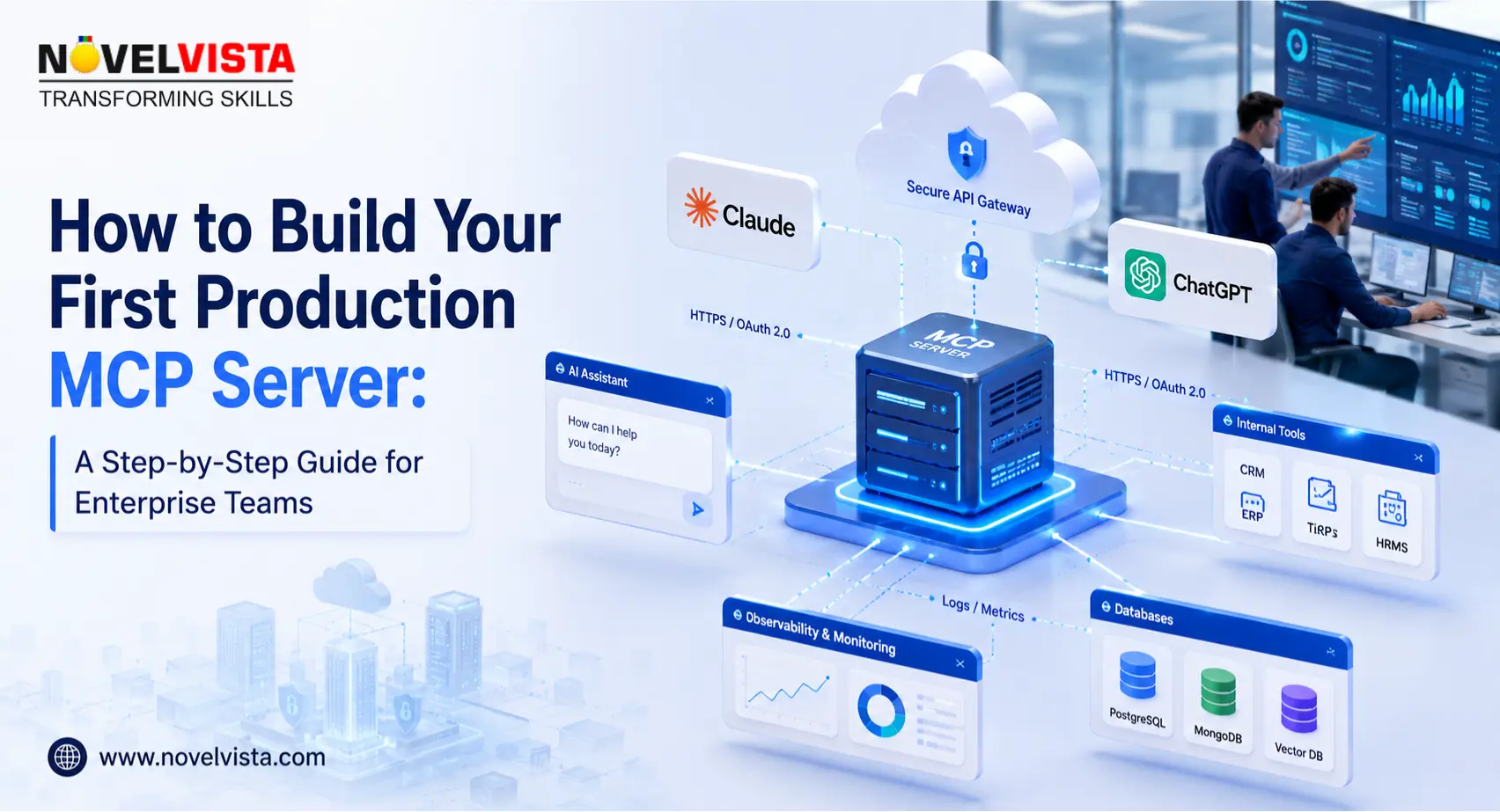
Learning how to build MCP server solutions is becoming a practical priority for enterprise teams that want AI assistants to safely connect with internal tools, business data, workflows, and knowledge systems. This blog explains what a production-ready MCP server means, how to choose the right first use case, how to compare Python and TypeScript options, how to connect with Claude and ChatGPT, and how to secure, test, deploy, monitor, and govern your MCP server for enterprise use.
A basic demo can prove the concept, but enterprise teams need more than a working script. They need access control, clean schemas, logging, secrets management, deployment discipline, and ownership. That is the real difference between a prototype and a production MCP server.
Before learning how to build MCP server projects, it is important to understand what “production” actually means. A production MCP server must be reliable, secure, observable, governed, and simple enough for AI clients to use correctly.
In practical terms, an MCP server works as a controlled bridge between an AI client and external capabilities. These capabilities may include APIs, databases, document stores, ITSM platforms, DevOps pipelines, HR systems, CRM platforms, and internal knowledge bases.
For enterprise teams, how to build MCP server architecture should never begin with code alone. It should begin with a business process that is valuable, repeatable, and safe to expose through an AI assistant.
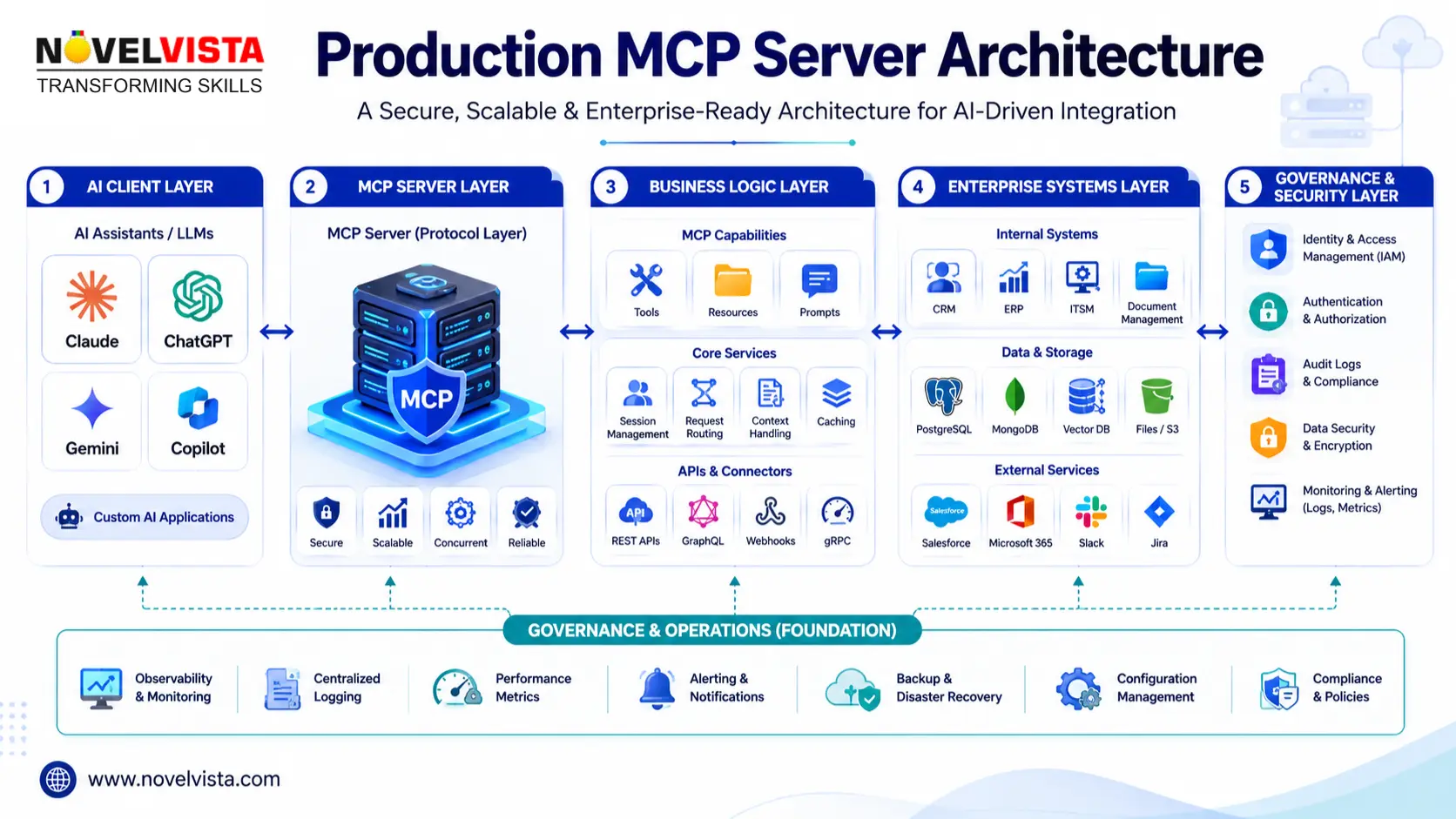
A production MCP server should be designed as a service, not just a script. When teams study how to build MCP server systems for enterprise adoption, the architecture usually includes five practical layers.
| Layer | Purpose | Enterprise Example |
|---|---|---|
| AI Client | Where users interact with the assistant | Claude Desktop, ChatGPT, IDE assistant, internal chatbot |
| MCP Server | Defines tools, resources, and prompts | Incident lookup server, policy search server, finance report server |
| Business Logic | Validates inputs and executes controlled actions | Search tickets, fetch records, summarize documents |
| Enterprise Systems | Approved systems and APIs | ServiceNow, Jira, Confluence, Salesforce, Snowflake |
| Governance Layer | Security, logs, permissions, audit controls | IAM, monitoring, rate limits, approval workflows |
This structure helps teams build MCP server capabilities without giving AI unrestricted access to sensitive business platforms.
The first step in how to build MCP server planning is selecting a use case that is useful but controlled. Your first project should prove value without creating unnecessary operational risk.
Good starter use cases include:
Avoid starting with high-risk actions such as deleting records, approving payments, modifying production infrastructure, or changing access permissions. Your first MCP server should usually be read-only.
A strong first use case has three qualities: the data source is clearly defined, the action is low-risk, and the output can be validated by users. This keeps how to build MCP server implementation practical for business teams and technical teams.
Enterprise teams usually begin with either mcp server python or mcp server typescript, depending on their engineering environment and long-term ownership model.
| Stack | Best For | Why Choose It? |
|---|---|---|
| Python | Data, automation, AI engineering, quick prototypes | Simple syntax, strong AI ecosystem, fast development |
| TypeScript | Web apps, SaaS integrations, developer platforms | Strong typing, Node.js ecosystem, frontend/backend alignment |
| Hybrid | Large enterprises | Python for data tools and TypeScript for application integrations |
If your team is building AI workflow automation, mcp server python is often the fastest path. If your team already works heavily with Node.js, APIs, React, and enterprise web apps, mcp server typescript may be better for scale.
For most first projects, how to build MCP server decisions should be based on maintainability, support ownership, and available engineering skills.
A simple mcp server python implementation can expose a business function as a tool. For example, an enterprise team can create a policy search tool that returns approved internal guidance.
The core workflow is simple:
For production, replace sample data with an approved API, database, or document search service. The goal is not only to build MCP server functionality, but to make sure every tool is narrow, explainable, and safe.
When teams ask how to build MCP server projects in Python, the best answer is to start with one high-value tool and validate it thoroughly before expanding.
A mcp server typescript implementation is useful when your organization depends on Node.js, API platforms, and typed contracts. TypeScript helps teams define clearer schemas and reduce unexpected runtime behavior.
For enterprise MCP tools, use specific names and descriptions. Avoid vague tools such as “access company data.” Instead, define tools like:
This makes it easier for AI clients to select the right tool and easier for security teams to review access boundaries.
The key lesson in how to build MCP server engineering is to keep tool contracts narrow. A smaller, clearer tool is easier to test, monitor, and govern than a broad tool with unclear behavior.
Many teams first test an mcp server claude integration because Claude Desktop is commonly used for local MCP experimentation. This gives developers a fast feedback loop before wider rollout.
When testing an mcp server claude workflow, validate the following:
This stage is important because how to build MCP server projects is not just about connectivity. It is about whether real users can trust the assistant’s tool behavior.
Planning an mcp server chatgpt integration requires extra attention to tool metadata, structured content, authorization, and user-visible results. The experience should be predictable for both users and administrators.
For mcp server chatgpt readiness, enterprise teams should prepare:
A common mcp server chatgpt use case is enterprise knowledge search. One tool searches documents, while another fetches the approved full document. This discovery-plus-retrieval pattern improves reliability.
When learning how to build MCP server solutions for ChatGPT, remember that the server becomes part of the user experience. Weak schemas and unclear outputs reduce trust quickly.
Security is where production MCP projects mature. A production MCP server should never hardcode secrets. Use environment variables, enterprise vaults, secret managers, workload identity, or approved cloud-native secret storage.
Security controls should include:
Testing should not stop at “the tool works.” Enterprise testing must prove that the MCP server behaves safely under realistic conditions.
| Test Area | What to Validate |
|---|---|
| Functional Testing | Correct output for valid inputs |
| Input Testing | Empty, malformed, long, or unexpected inputs |
| Permission Testing | Users can only perform allowed actions |
| Error Testing | APIs fail gracefully without exposing internals |
| Logging Testing | Logs capture events without secrets |
| Client Testing | Claude, ChatGPT, IDE, or internal clients interpret tools correctly |
A practical how to build MCP server testing cycle includes local testing, schema inspection, sample prompt validation, bad input checks, security review, staging deployment, and monitored production release.
Deployment depends on whether your MCP server is local, remote, or embedded in a larger enterprise platform. Common deployment options include local STDIO servers, containerized services, remote HTTP servers, Kubernetes deployments, and lightweight serverless wrappers.
A production deployment should include:
When teams ask how to build MCP server systems at scale, the answer is not just “write the tool.” The real answer is to operate the tool like an enterprise service.
Governance should also define who can request new tools, who approves data access, who reviews logs, and who owns server uptime. Without ownership, even a well-built MCP server can turn into quiet technical debt.
Many teams understand how to build MCP server demos, but production adoption fails when the basics are ignored.
Avoid these common mistakes:
The safest way to learn how to build MCP server implementations is to begin narrow, prove value, then expand with governance.
A structured roadmap helps business and technology teams move from concept to production without rushing governance decisions.
| Timeline | Focus | Outcome |
|---|---|---|
| Days 1–5 | Use case selection and architecture | Approved first MCP use case |
| Days 6–10 | Python or TypeScript prototype | Working local MCP server |
| Days 11–15 | Client testing with Claude and ChatGPT planning | Validated tool behavior |
| Days 16–20 | Security and governance controls | Authentication, authorization, logging |
| Days 21–25 | Staging deployment and user testing | Feedback from real enterprise users |
| Days 26–30 | Production readiness review | Release plan, monitoring, ownership model |
This roadmap gives teams a realistic path for how to build MCP server projects without pushing risky actions into production too early.
Knowing how to build MCP server solutions gives enterprise teams a powerful way to connect AI assistants with business systems in a controlled, secure, and scalable manner. The best approach is to start with a narrow use case, choose the right stack, define clear tools, test with real clients, secure every integration point, and operate the server like a production service.
Whether your team is exploring mcp server python, mcp server typescript, mcp server claude, or mcp server chatgpt integrations, the foundation remains the same: clear use cases, strong schemas, secure access, reliable testing, and disciplined governance.
For enterprise teams, how to build MCP server maturity improves when implementation, governance, and training move together.
For enterprise teams, how to build MCP server maturity improves when implementation, governance, and training move together.
For enterprise teams, how to build MCP server maturity improves when implementation, governance, and training move together.
For enterprise teams, how to build MCP server maturity improves when implementation, governance, and training move together.
For enterprise teams, how to build MCP server maturity improves when implementation, governance, and training move together.
For enterprise teams, how to build MCP server maturity improves when implementation, governance, and training move together.
Ready To Take Next Step?
Join NovelVista’s Model Context Protocol (MCP) Deep Dive course to learn practical MCP architecture, server-client workflows, enterprise implementation patterns, governance models, and hands-on development methods. The course helps teams move beyond MCP theory and build production-ready AI integration capabilities with confidence.
Author Details

Confused About Certification?
Get Free Consultation Call
Stay ahead of the curve by tapping into the latest emerging trends and transforming your subscription into a powerful resource. Maximize every feature, unlock exclusive benefits, and ensure you're always one step ahead in your journey to success.