
Automation in a Day Course
- Duration: 8 Hours
- Exam Voucher: Yes
- Language: English
- Course Delivery : E - Learning Access

4.9 Ratings on Google
9000+
Professionals Enrolled
Course Overview
The Automation in a Day Course is an intensive, beginner-friendly workshop designed to teach participants the fundamentals of Robotic Process Automation (RPA) using Microsoft Power Automate — all within a focused one-day format. Participants will engage in hands-on exercises that cover both introductory and advanced RPA concepts, including building desktop flows and integrating automation with cloud services. This rapid learning model is proven to help motivated learners grasp essential automation skills effectively and immediately apply them to digitize repetitive tasks, streamline workflows, and improve operational efficiency.
Enquire Now
Course Details
- Rapid understanding of RPA concepts and capabilities
- Practical, hands-on experience with Microsoft Power Automate Desktop and cloud flows
- Ability to identify automation opportunities using process advisor
- Foundational skills in building and troubleshooting desktop flows
- Exposure to automation integration with applications such as Outlook, Teams, and Excel
- Immediate applicability to automation scenarios in business and IT environments
- Open to corporate professionals, IT staff, business analysts, and automation aspirants
- Suitable for beginners with no prior coding or RPA experience
- Recommended: familiarity with basic desktop applications and workflows
- Access to Microsoft Power Automate and Power Automate Desktop (trial or provisioned)
- A Windows device capable of running desktop flows
- Understand core principles of Robotic Process Automation
- Build your first desktop automation flow using Power Automate
- Use input/output parameters and gateways to orchestrate cloud and desktop flows
- Integrate automation with Outlook, Teams, and AI Builder components
- Identify and analyze process bottlenecks with process advisor
- Apply troubleshooting techniques for robust automation workflows
- Gain confidence to implement RPA use cases in organizational contexts
- Pre-setup and environment configuration
- Introduction to RPA, Power Automate, and desktop flows
- Creating and executing desktop flows
- Input & output parameters and integration
- Hyperautomation techniques (Outlook, Teams, AI Builder)
- Web and Excel automation using Power Automate
- Optional advanced topics: unattended automation, error handling, process advisor insights
Corporate Training Governance & Quality Assurance
Our commitment to excellence in corporate training delivery
Program Governance
Curriculum Framework
Certified Instructors
Delivery Architecture
Assessment Engine
KPI Monitoring
Support Ecosystem
Feedback Loop
Automation Governance
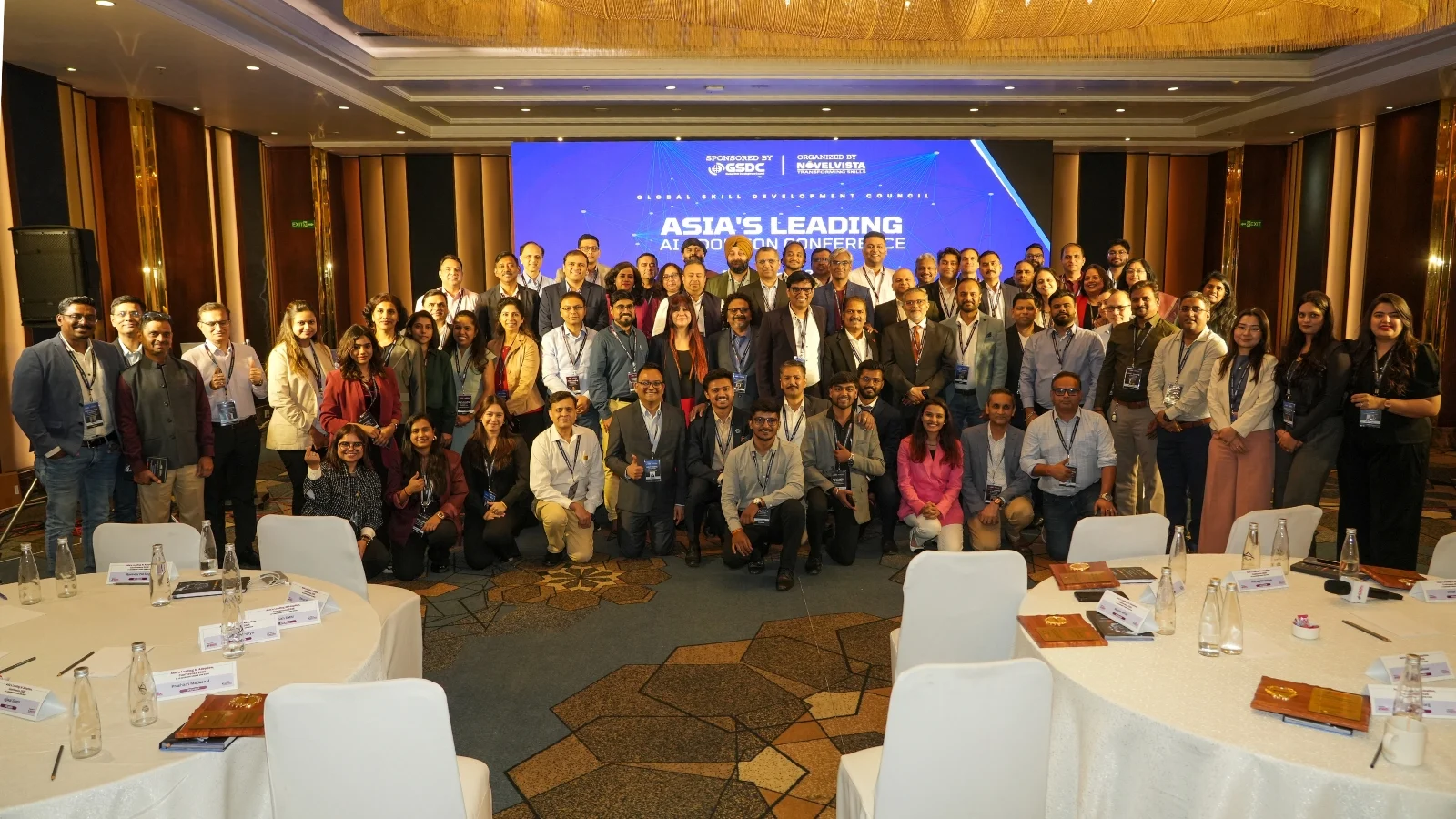
10+ Years of Bringing Enterprise Leaders Together
For over a decade, NovelVista takes pride in bringing together technology executives, L&D leaders, and business decision-makers to exchange ideas, share best practices, and explore the trends shaping the future of work—from AI adoption and digital transformation to workforce capability and leadership.
- Exclusive conversations with leaders driving enterprise change.
- Real-world insights from organisations solving today's toughest business challenges.
- A natural extension of your corporate learning journey, connecting training with industry best practices.
- A community dedicated to building future-ready teams and high-performing organisations.


What Our Corporate Clients Say
Trusted by leading organizations worldwide